
Yes, the Ring Doorbell can ring in the house if you have a compatible Ring Chime or Chime Pro connected to your Wi-Fi network. This allows you to hear the doorbell alert inside your home, ensuring you never miss a visitor.
Last updated: October 11, 2026
Understanding whether the Ring Doorbell rings in the house is essential for anyone considering this popular smart home device. With the right accessories, such as the Ring Chime or Chime Pro, you can ensure that you hear doorbell alerts throughout your home.
This feature is particularly useful for larger houses or for those who may not always be at the front door to see the video feed.
In this article, we’ll explore how you can enhance your Ring Doorbell experience and ensure you never miss a visitor.
- Start with the setup: Device model, OS, ports, power needs, and workspace change the right answer.
- Check compatibility first: Verify specifications, drivers, firmware, app support, warranty, and return policy before acting.
- Use practical steps: Change one setting or product variable at a time so you can see what.
- Know the limits: Tech advice varies by model, brand, operating system, retailer, firmware version, and official support.
Does the Ring Doorbell Ring in the House?
The Ring Doorbell alerts homeowners when someone is at the door, but how it does this can vary based on your setup. Understanding its interaction with your home network and notification options is key to optimizing its performance. For related context, you may also want to read what to use smart plugs for to simplify your home automation.
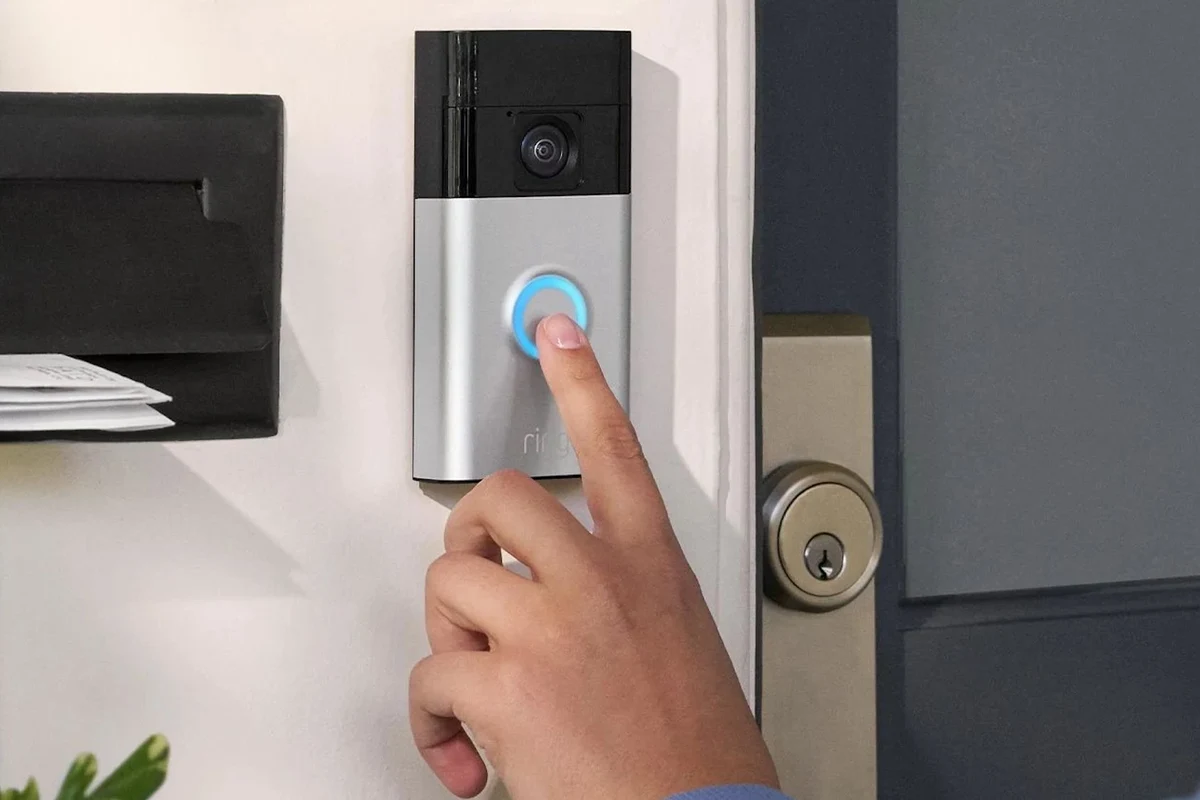
How the Ring Doorbell Works: A Quick Overview
The Ring Doorbell functions by connecting to your home Wi-Fi and utilizing motion sensors and a button press to alert you. It can also trigger a chime inside the house, enhancing your awareness of visitors. Familiarizing yourself with these features can improve your experience and responsiveness. This connects closely with what does a smart outlet do 2 if you want to compare the topic in more detail.
Use this guide for does the ring doorbell ring in the house as a practical checklist, then adjust the advice to your exact device model, operating system, workspace, and budget.
Setting Up Your Ring Doorbell: What You Need to Know
Setting up your Ring Doorbell involves several steps, from physical installation to app configuration. Proper setup ensures that you receive alerts and notifications effectively, whether through your smartphone or a home chime.
| Setup Step | Description |
|---|---|
| Physical Installation | Mount the Ring Doorbell at the desired location, ensuring it is securely attached and within range of your Wi-Fi network. |
| App Configuration | Download the Ring app and follow the prompts to connect your Ring Doorbell to your Wi-Fi and account. |
| Notification Settings | Customize alert settings within the app to receive notifications on your smartphone or connected devices. |
| Chime Integration | If using a home chime, ensure it is compatible and properly linked to receive sound alerts when the doorbell rings. |
Step-by-Step Installation Process
Installing the Ring Doorbell is a simple process that requires basic tools and a little patience. Ensure you have the necessary equipment and follow the manufacturer’s instructions carefully to avoid any complications during setup. Completing this correctly will ensure optimal performance from the device.
- Choose the Installation Location
Find a spot close to your door, within range of your Wi-Fi signal.
- Mount the Doorbell
Use the provided tools to secure the doorbell to the wall or door frame.
- Connect to Wi-Fi
Follow the app instructions to connect your Ring Doorbell to your home Wi-Fi network.
- Set Up Notifications
Customize your notification settings in the app to ensure you receive alerts.
Common Setup Mistakes to Avoid
Mistakes during the setup of your Ring Doorbell can lead to malfunction or incomplete functionality. Common errors include improper wiring or incorrect app settings, which can hinder your device’s performance. Taking the time to double-check your steps can prevent unnecessary headaches later on. For related safety context, compare this with what does a smart outlet do.
- Installing the doorbell out of Wi-Fi range, which can prevent notifications.
- Neglecting to secure the device properly, leading to potential damage.
- Overlooking app settings that customize notification types.
Small details such as port type, charger wattage, firmware version, desk space, and app permissions can completely change the right answer.
Connecting Your Ring Doorbell to Smart Home Ecosystems
The Ring Doorbell can be integrated into various smart home systems, enhancing its functionality. Knowing how to connect your device with other smart gadgets can significantly improve your home automation experience.
Compatibility with Other Smart Devices
Ensuring compatibility with other smart devices in your home can expand the capabilities of your Ring Doorbell. It integrates well with systems like Amazon Alexa, Google Assistant, and other smart hubs.
Using Wi-Fi, Bluetooth, and Matter Integration
The Ring Doorbell primarily relies on Wi-Fi for connectivity. However, the future integration of Matter protocol could enhance compatibility with various devices, making it easier to control within your smart home ecosystem. For related context, you may also want to read what smart home devices work without hub.
Placement Tips for Optimal Performance
Where you place your Ring Doorbell can greatly influence its performance. Proper placement ensures best visibility and functionality, reducing false alerts and improving user experience.
Best Locations to Install Your Ring Doorbell
The ideal installation location for your Ring Doorbell depends on various factors like the layout of your home and the range of your Wi-Fi signal. Here are some recommendations:
Near the front door for maximum visibility. At least 48 inches off the ground for optimal motion detection. A spot that minimizes obstructions like trees or walls that could block the camera view.
Factors Affecting the Ringing Sound in Your Home
The sound of the Ring Doorbell can be influenced by various factors, including the type of chime you have and your home’s acoustics. Understanding these can help you optimize your setup. This connects closely with what is thread protocol smart home if you want to compare the topic in more detail.
- Use strong passwords and update firmware when available.
- Place cameras and sensors with privacy in mind.
- Avoid overloading smart plugs or extension setups.
Automation Features and Their Reliability
The Ring Doorbell offers automation features that can enhance your home security. However, it’s important to know how reliable these features are and how to adjust them for your specific needs.
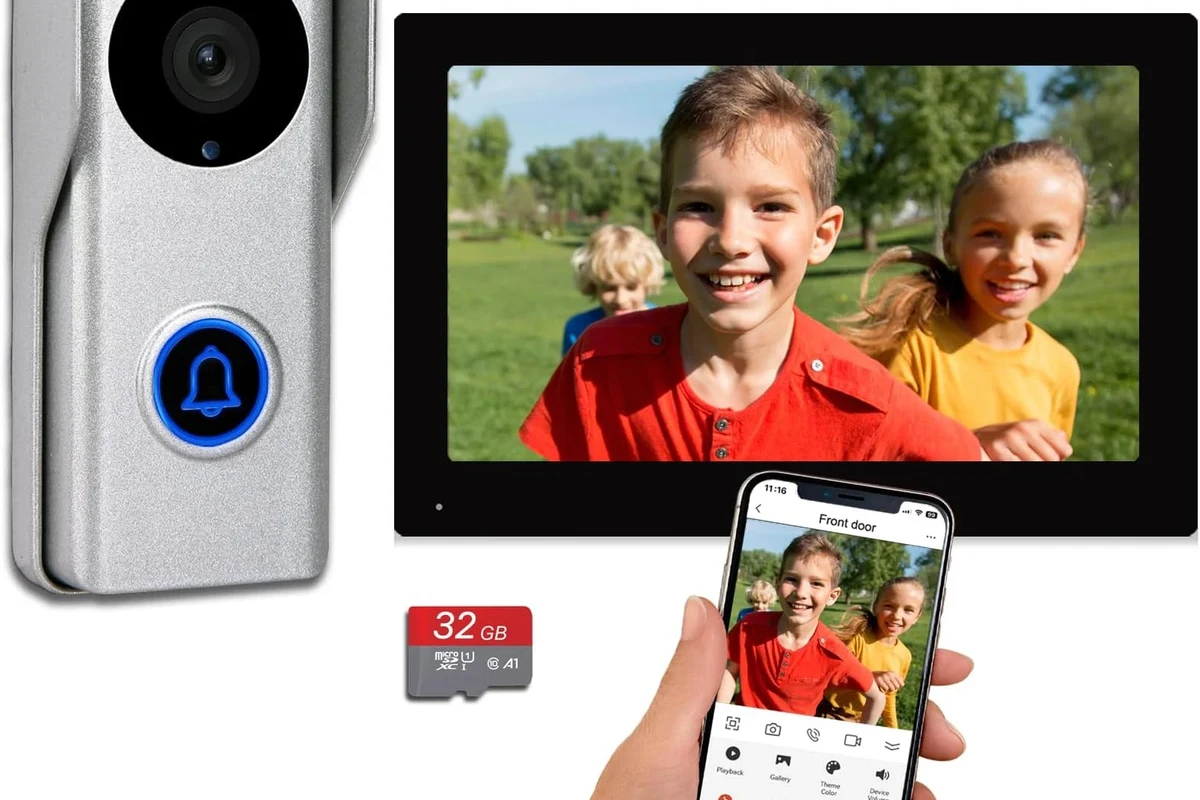
Using the Ring App for Notifications
The Ring app is central to managing notifications and settings for your doorbell. Proper use of the app can ensure you don’t miss important alerts.
Adjusting Sensitivity and Volume Settings
Fine-tuning sensitivity and volume settings can help ensure that you receive alerts without being overwhelmed by unnecessary notifications. Explore your app settings to customize these features. You can also use what is matter protocol for smart home as a helpful next guide on the same tech-accessories topic.
Privacy and Security Considerations
With any smart device, privacy and security are paramount. Understanding the measures Ring has in place can help you feel secure using your doorbell.
Managing Video Privacy Settings
Managing your video privacy settings is essential to ensure you control who can access your recordings. Regularly reviewing these settings in the Ring app helps you maintain your desired level of privacy and security. This proactive approach can safeguard your personal information and enhance your overall experience.
Understanding Data Security and Firmware Updates
Keeping your device secure includes understanding data protection measures and ensuring your firmware is up to date. Regular updates can enhance security and functionality. For related context, you may also want to read what is a smart home hub.
For smart-home products, check ecosystem support, app permissions, firmware updates, Wi-Fi compatibility, privacy settings, and safe electrical load limits.
Common Issues and Troubleshooting Tips
Even with a proper setup, issues with the Ring Doorbell can arise, affecting its functionality. Familiarizing yourself with troubleshooting tips allows you to quickly resolve common problems like connectivity or alert delays. Addressing these issues promptly can enhance your overall user experience and device reliability.
Why Your Ring Doorbell Might Not Ring Inside
If your Ring Doorbell isn’t ringing inside your house, it could be due to several reasons. Common culprits include Wi-Fi connectivity issues or incorrect app settings.
How to Fix Connectivity Problems
Resolving connectivity issues often requires checking your Wi-Fi signal strength and ensuring the doorbell is within range. Restarting your router or the doorbell itself can also help. You can also use where is the camera in a samsung smart tv as a helpful next guide on the same setup or usability topic.
This guide on does the ring doorbell ring in the house is written for general digital-information education. For specifications, compatibility, prices, availability, firmware/software versions, warranty terms, recalls, privacy settings, or safety limits, confirm details with the official manual, manufacturer page, retailer listing, warranty document, or current support notice before acting.
Maintenance and Warranty Information
Understanding the maintenance and warranty details of your Ring Doorbell is crucial for longevity. Regular checks and adherence to warranty guidelines can help prevent unexpected issues and ensure your device is covered in case of defects. Keeping this information at hand will aid in responsible ownership.
Regular Maintenance Steps for Longevity
Performing regular maintenance on your Ring Doorbell is key to ensuring its longevity and optimal performance. This includes cleaning the camera lens, checking battery levels, and updating the software. Keeping these tasks in mind will help you maintain the device efficiently.
- Cleaning the camera lens for clear video.
- Checking battery levels if using a battery-powered model.
- Keeping the software updated for the latest features and security enhancements.
What to Do If Your Ring Doorbell Needs Replacement
If your Ring Doorbell is malfunctioning and cannot be repaired, understanding the warranty and replacement options is vital. Refer to the manufacturer’s guidelines for details.
Understanding In-House Notifications from Your Ring Doorbell
Knowing how the Ring Doorbell provides in-house notifications can guide your smart home decisions. With proper installation and placement, you can enhance its role as an effective security device.
Final Words
The Ring Doorbell can ring inside your home if it is set up correctly and paired with a compatible chime or your smartphone. Following the guidelines provided will help ensure your device operates effectively and improves your home security.
💡 Sufiya Begom's Smart Home Note: Check Wi-Fi band, app permissions, firmware updates, privacy settings, ecosystem support, and safe electrical load before relying on any smart-home device.
Frequently Asked Questions
Questions about Smart Doorbell often depend on the exact model, connection method, software support, and daily use case. Similar products can behave differently even when they look alike or share a category name. Check current manufacturer documentation whenever compatibility, safety, privacy, firmware, or warranty details affect the answer.
Start with intended use, fit, verified specifications, safety instructions, care needs, and important limitations.
Start with the exact Smart Doorbell model, connection method, compatibility requirements, and the specific result you need. Current manufacturer documentation is the safest place to confirm details that vary by model.
Check the operating system, ports or wireless standard, power requirements, app or driver support, and any ecosystem limitations that apply to the exact setup.
A common mistake is treating every Smart Doorbell product or setup as interchangeable. Similar-looking models can differ in ports, software support, power needs, dimensions, or privacy controls.
Use the cleaning, ventilation, inspection, charging, storage, and update guidance that applies to the product type. Disconnect power first whenever the manufacturer instructions require it.
Stop and seek official support when the problem involves overheating, damaged power hardware, unstable mounting, repeated failures, data loss, or a privacy concern you cannot resolve safely.

Sufiya Begom is a Passionate Digital Innovator and the Visionary Founder of the Dynamic Platform, Digital Pro Info. With a deep-rooted enthusiasm for digital technologies, Sufiya has built a comprehensive space that offers valuable insights into digital products, reviews, guides, software, and sales, empowering individuals to make informed decisions in the ever-evolving digital landscape.