
Yes, you can put a monitor arm on a glass desk safely, provided you use the right mounting hardware and ensure that the glass is thick enough to support the monitor’s weight. Always check the manufacturer’s specifications and recommendations for both the monitor arm and the glass desk to avoid damage.
Last updated: November 23, 2026
When considering workspace ergonomics, many people wonder: can you put a monitor arm on a glass desk? This setup can enhance your productivity by freeing up desk space and allowing for adjustable viewing angles.
However, it’s crucial to ensure that the glass desk is thick enough and equipped with the right mounting hardware to safely support the weight of the monitor arm and screen.
In this article, we’ll explore the necessary precautions and tips to make this arrangement both functional and secure.
- Start with the setup: Device model, OS, ports, power needs, and workspace change the right answer.
- Check compatibility first: Verify specifications, drivers, firmware, app support, warranty, and return policy before acting.
- Use practical steps: Change one setting or product variable at a time so you can see what.
- Know the limits: Tech advice varies by model, brand, operating system, retailer, firmware version, and official support.
Understanding Monitor Arms and Their Functionality
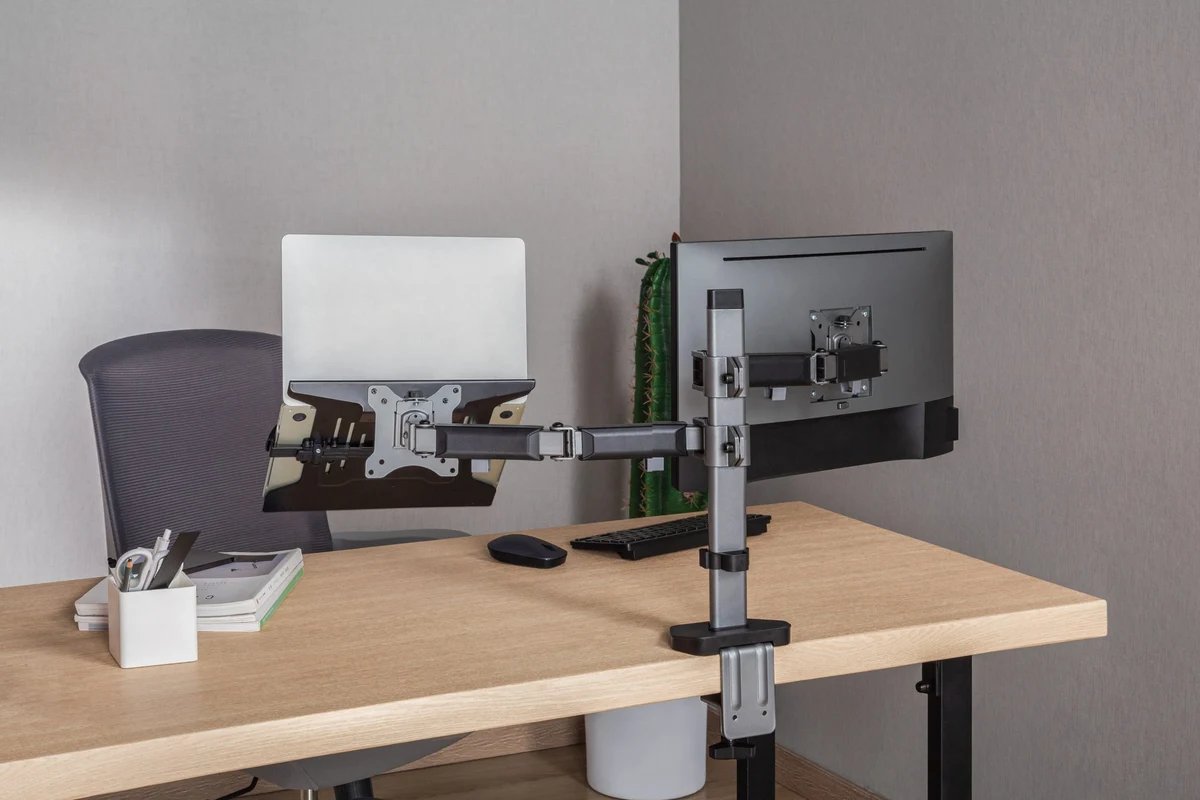
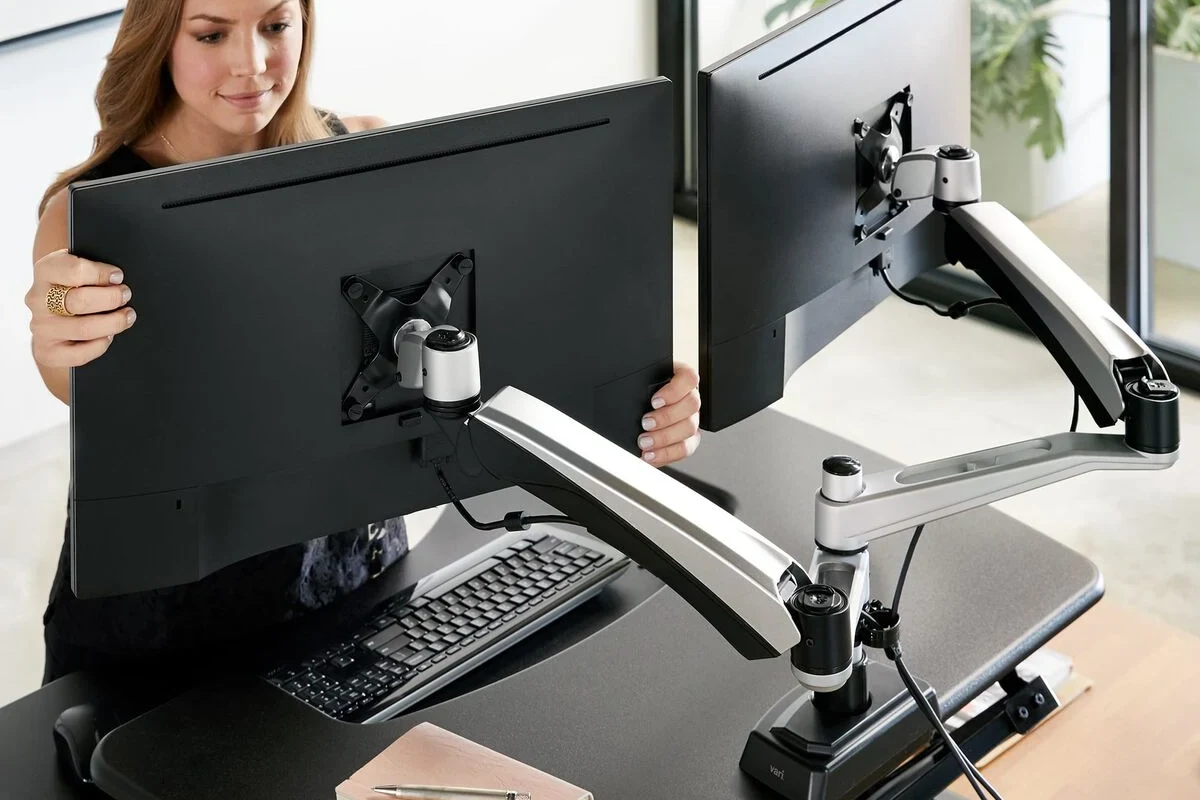
Monitor arms are versatile accessories designed to hold computer monitors above the desk surface, providing adjustable positioning for improved ergonomics and workspace efficiency. They allow users to easily adjust the height, angle, and distance of their monitors, which can significantly reduce neck and eye strain during prolonged use.
Types of Monitor Arms
There are several types of monitor arms available, each designed for different setups and needs. Understanding these can help you choose the right one for your glass desk. For related context, you may also want to read what can you do with a fire tv stick.
- Clamp Mount: This type attaches to the desk edge and is often the easiest to install.
- Grommet Mount: Requires a hole drilled into the desk for installation, providing a more permanent solution.
- Freestanding Base: Offers flexibility as it does not require any desk attachment, but may take up more surface space.
Compatibility: What to Look for When Choosing a Monitor Arm
When selecting a monitor arm for a glass desk, compatibility with both the monitor and the desk’s structure is crucial. Factors such as weight capacity, mounting mechanism, and adjustability should guide your decision.
Weight Capacity
Check the weight capacity of the monitor arm to ensure it can support your monitor’s weight. Most arms specify a load limit, which is essential for safe use. Exceeding this limit can compromise the arm’s stability and lead to accidents.
Mounting Mechanism
The mounting mechanism must be compatible with glass surfaces. Clamp mounts are typically recommended, but it’s important to ensure that the clamp can hold securely without causing any damage to the glass. This connects closely with can you use ring camera without a subscription if you want to compare the topic in more detail.
| Monitor Arm Type | Best For | Compatibility Check |
|---|---|---|
| Clamp Mount | Easy installation on desk edges | Ensure clamp fits glass thickness |
| Grommet Mount | Permanent setup | Requires drilling into the glass |
| Freestanding Base | Flexible positioning | Check desk space availability |
Use this guide for can you put a monitor arm on a glass desk as a practical checklist, then adjust the advice to your exact device model, operating system, workspace, and budget.
Weight Capacity of Monitor Arms: Is Your Monitor Too Heavy?
Understanding the weight capacity of monitor arms is essential when installing one on a glass desk. If your monitor exceeds the arm’s weight limit, it can cause instability and potential accidents.
| Monitor Arm Weight Capacity | Recommended Monitor Weight |
|---|---|
| Up to 10 lbs | Max 8 lbs |
| 11-20 lbs | Max 17 lbs |
| 21-30 lbs | Max 27 lbs |
| 31-40 lbs | Max 35 lbs |
Check Monitor Weight: Weigh your monitor and compare it against the arm’s specifications. Consider Accessories: Include the weight of any accessories, such as webcams or speakers. Opt for Adjustable Arms: Choose arms with adjustable weight support for flexibility. You can also use can you use your ring doorbell without a subscription as a helpful next guide on the same tech-accessories topic.
Always check the weight limit of your monitor arm before installation. Exceeding this limit can lead to monitor failure and potential injury.
Safety Precautions for Using Monitor Arms on Glass Desks
To ensure safety when using a monitor arm on a glass desk, specific precautions must be taken. These include proper installation techniques and regular maintenance checks to avoid accidents.
Installation Tips
To protect the glass surface, add padding where the clamp contacts it to prevent scratches. Follow the manufacturer’s installation instructions carefully to minimize stress on the glass during setup.
Regular Maintenance
Inspect the monitor arm regularly for wear and tear. Tighten any loose screws and check for signs of stress on the glass. If any issues arise, consider re-evaluating the setup or consulting a professional. For related context, you may also want to read can you use a ring camera without subscription.
How to Properly Install a Monitor Arm on a Glass Surface
Proper installation of a monitor arm on a glass desk is critical for safety and functionality. Following the recommended steps can help ensure a secure and stable setup. For setup context, a video doorbell can assist you by enhancing home safety can help you compare similar setup details.
- Choose the Right Location
Decide where you want the monitor arm to be mounted, ensuring it does not obstruct your workspace.
- Prepare the Surface
Clean the glass surface thoroughly to remove any debris or oils that could affect adhesion.
- Attach the Monitor Arm
Follow the manufacturer’s instructions to attach the arm securely to the glass.
- Adjust for Optimal Viewing
Once installed, adjust the monitor to eye level to promote ergonomic use.
- Use rubber pads on the clamp for added grip.
- Periodically check screws and bolts for tightness.
- Keep cables organized to prevent strain on the monitor arm.
Common Mistakes to Avoid When Setting Up a Monitor Arm
There are several common pitfalls that users should avoid to ensure a successful monitor arm installation on a glass desk. Awareness of these can save you time and prevent damage. This also connects with can you use a ring doorbell without a subscription if you want to avoid a similar setup or buying mistake.
- Ignoring Weight Limits: Always adhere to the specified weight limits for your monitor arm.
- Improper Installation: Follow all installation guidelines closely to avoid instability.
- Overlooking Glass Thickness: Ensure that the mounting mechanism fits the thickness of your glass desk.
Alternatives to Using a Monitor Arm on a Glass Desk
Alternatives to Using a Monitor Arm on a Glass Desk adds practical context to can you put a monitor arm on a glass desk by focusing on the details that affect real setup and daily use.
Check what applies to the current device, what needs verification, and which next step is safest before making another change.
Check what applies to the current device, what needs verification, and which next step is safest before making another change.
Monitor Stands
Monitor stands offer a stable base for your monitor without requiring any installation. They come in various heights and styles, allowing for easy adjustment.
Desk Risers
Desk risers elevate your entire workspace, allowing you to adjust the height of multiple items, including your monitor. This solution is less invasive than a monitor arm and can be removed easily. For related context, you may also want to read can you use tapo camera without subscription.
Small details such as port type, charger wattage, firmware version, desk space, and app permissions can completely change the right answer.
Maintenance Tips for Monitor Arms and Glass Desks
Regular maintenance is essential for both monitor arms and glass desks to ensure longevity and safety. Adopting a few best practices can keep your setup in optimal condition.
Clean Regularly: Use a microfiber cloth to clean the glass surface and monitor arm. Inspect for Damage: Routinely check for cracks in the glass or wear in the monitor arm. Adjust as Needed: Make adjustments to the monitor arm height and angle based on your usage. This connects closely with can you use ring camera without subscription if you want to compare the topic in more detail.
This guide on can you put a monitor arm on a glass desk is written for general digital-information education. For specifications, compatibility, prices, availability, firmware/software versions, warranty terms, recalls, privacy settings, or safety limits, confirm details with the official manual, manufacturer page, retailer listing, warranty document, or current support notice before acting.
Real-Life Scenarios: Users’ Experiences with Monitor Arms on Glass Desks
Real-Life Scenarios: Users’ Experiences with Monitor Arms on Glass Desks adds practical context to can you put a monitor arm on a glass desk by focusing on the details that affect real setup and daily use.
Check what applies to the current device, what needs verification, and which next step is safest before making another change.
Check what applies to the current device, what needs verification, and which next step is safest before making another change.
Positive Feedback
Many users report improved ergonomics and workspace efficiency after installing a monitor arm. They appreciate the flexibility and space-saving benefits that come with this accessory.
Challenges Faced
Some users experienced issues with stability, especially when using heavier monitors. Ensuring the monitor arm was within the weight limit was crucial for their success.
What This Means for Tech Buyers: Making an Informed Decision
When considering whether you can put a monitor arm on a glass desk, it’s vital to weigh the options carefully. Ensure compatibility, follow safety precautions, and choose a suitable installation method.
In summary, if you adhere to the guidelines discussed, a monitor arm can be an excellent addition to a glass desk setup, enhancing your workspace’s ergonomics and efficiency.
Final Words
Installing a monitor arm on a glass desk is possible and can lead to improved workspace ergonomics. However, careful attention to weight limits, installation methods, and ongoing maintenance is crucial. With the right approach, you can enjoy the benefits of a monitor arm without compromising safety.
💡 Sufiya Begom's Setup Advice: Check VESA support, screen weight, desk thickness, eye level, cable clearance, and stability before buying or mounting any monitor accessory.
Frequently Asked Questions
Questions about Monitor Arm often depend on the exact model, connection method, software support, and daily use case. Similar products can behave differently even when they look alike or share a category name. Check current manufacturer documentation whenever compatibility, safety, privacy, firmware, or warranty details affect the answer.
Start with intended use, fit, verified specifications, safety instructions, care needs, and important limitations.
Start with the exact Monitor Arm model, connection method, compatibility requirements, and the specific result you need. Current manufacturer documentation is the safest place to confirm details that vary by model.
Check the operating system, ports or wireless standard, power requirements, app or driver support, and any ecosystem limitations that apply to the exact setup.
A common mistake is treating every Monitor Arm product or setup as interchangeable. Similar-looking models can differ in ports, software support, power needs, dimensions, or privacy controls.
Use the cleaning, ventilation, inspection, charging, storage, and update guidance that applies to the product type. Disconnect power first whenever the manufacturer instructions require it.
Stop and seek official support when the problem involves overheating, damaged power hardware, unstable mounting, repeated failures, data loss, or a privacy concern you cannot resolve safely.

Sufiya Begom is a Passionate Digital Innovator and the Visionary Founder of the Dynamic Platform, Digital Pro Info. With a deep-rooted enthusiasm for digital technologies, Sufiya has built a comprehensive space that offers valuable insights into digital products, reviews, guides, software, and sales, empowering individuals to make informed decisions in the ever-evolving digital landscape.