
To attach monitor arm to desk, first, secure the clamp or grommet mount to the desk’s edge according to the manufacturer’s instructions. Then, connect the monitor arm to the mount by following the assembly steps provided, ensuring everything is tightened and stable for optimal support.
Last updated: November 27, 2026
Attaching a monitor arm to your desk can enhance your workspace by improving ergonomics and freeing up valuable desk space. This guide on how to attach a monitor arm to a desk will provide you with step-by-step instructions, essential tools, and tips to ensure a stable installation.
- Start with the setup: Device model, OS, ports, power needs, and workspace change the right answer.
- Check compatibility first: Verify specifications, drivers, firmware, app support, warranty, and return policy before acting.
- Use practical steps: Change one setting or product variable at a time so you can see what.
- Know the limits: Tech advice varies by model, brand, operating system, retailer, firmware version, and official support.
Understanding Monitor Arms: What You Need to Know
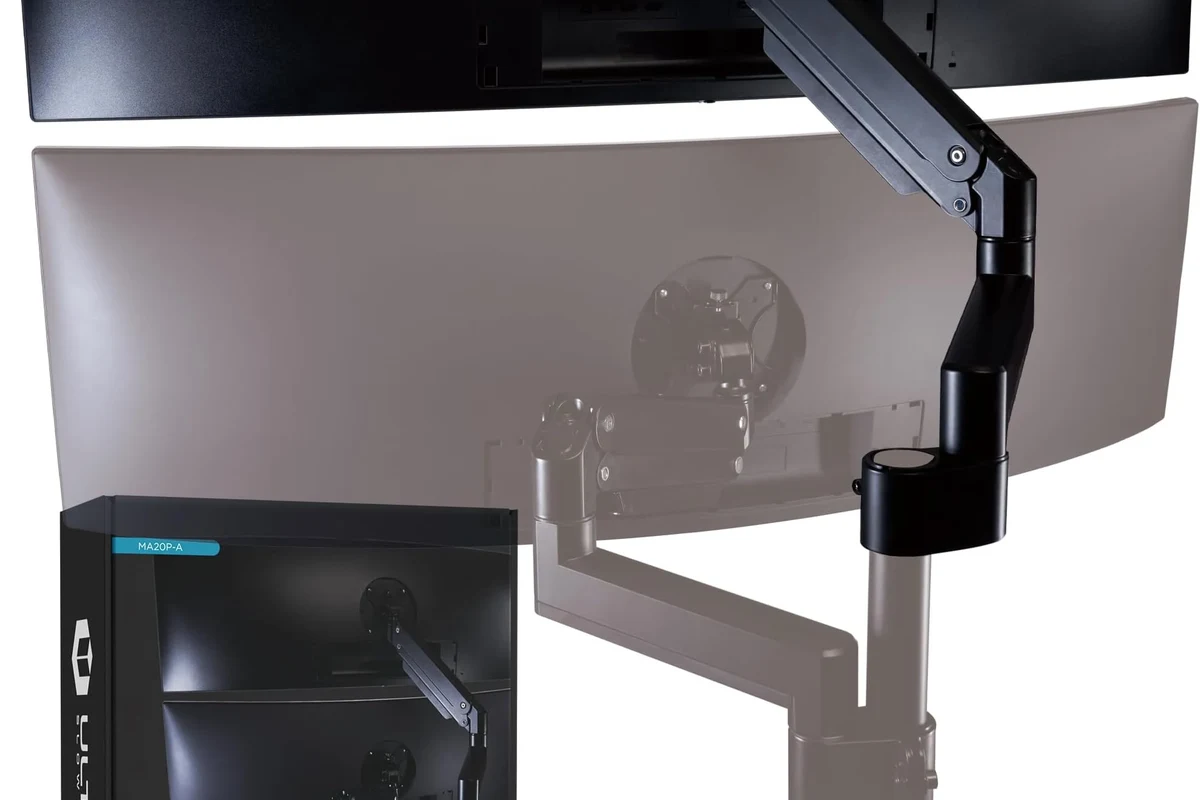
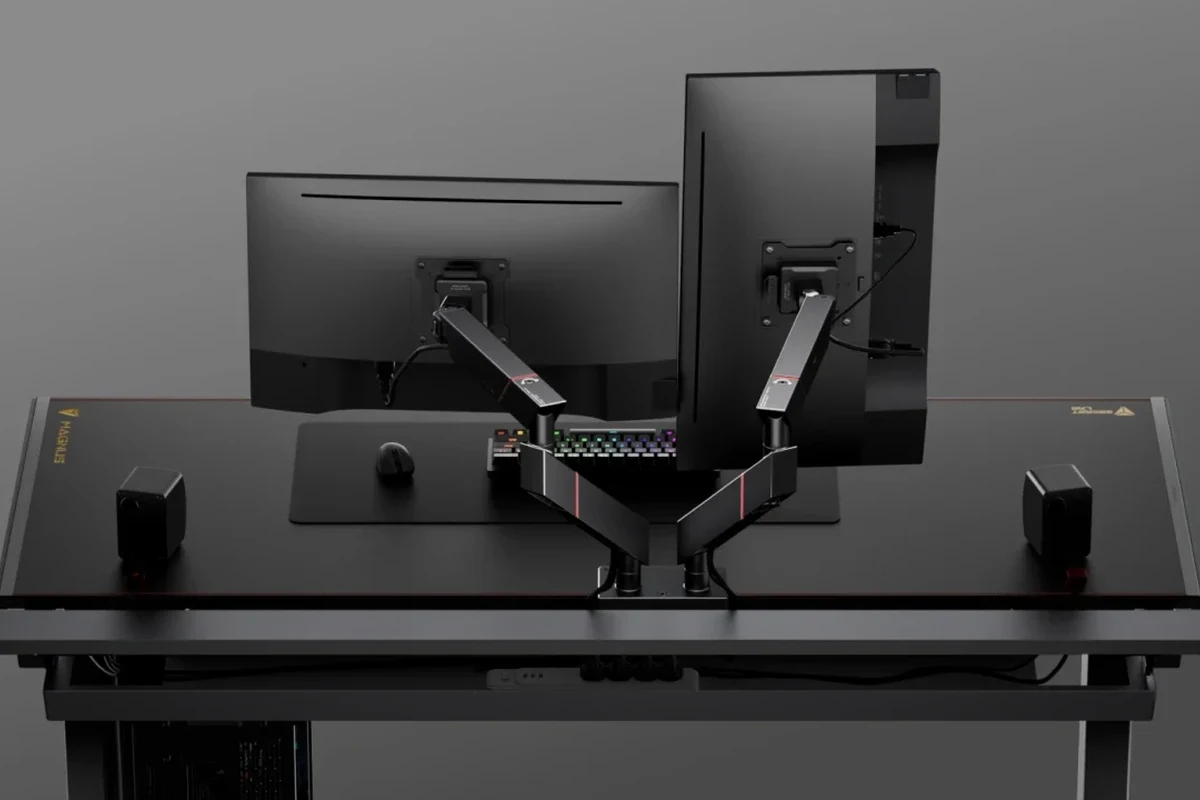
Before diving into the installation process, it’s crucial to understand what a monitor arm is and how it can benefit your workspace. Monitor arms are adjustable mounts that hold your monitor at various heights and angles, promoting better posture and minimizing desk clutter. For related context, you may also want to read how to connect kasa smart plug step by step guide.
Choosing the Right Monitor Arm for Your Setup
Selecting the right monitor arm is essential for ensuring compatibility with your desk and monitor. Consider factors like weight capacity, mounting style (clamp or grommet), and adjustability features to find the best fit for your needs. You can also use how to improve posture at a desk job as a helpful next guide on the same setup or usability topic.
| Option | Best For | What to Check |
|---|---|---|
| Clamp Mount | Desks with thick edges | Ensure the desk thickness is compatible with the clamp. |
| Grommet Mount | Desks with pre-drilled holes | Check for hole size and desk material. |
| Wall Mount | Space-saving setups | Check wall material and weight limits. |
Use this guide for how to attach monitor arm to desk as a practical checklist, then adjust the advice to your exact device model, operating system, workspace, and budget.
Essential Tools for Attaching a Monitor Arm
Having the right tools on hand can make the installation process smoother and quicker. You will generally need a few basic tools to ensure a secure attachment of your monitor arm to the desk. You can also use how ring doorbell works guide as a helpful next guide on the same tech-accessories topic.
| Tool | Purpose |
|---|---|
| Drill | To create holes for mounting the monitor arm |
| Stud Finder | To locate wall studs for secure mounting |
| Screwdriver | To tighten screws for a secure fit |
| Level | To ensure the monitor arm is installed evenly |
- Screwdriver (flathead and Phillips)
- Allen wrench (often included with the monitor arm)
- Measuring tape
- Level (optional but recommended)
Small details such as port type, charger wattage, firmware version, desk space, and app permissions can completely change the right answer.
Preparing Your Desk for a Monitor Arm Installation
Before installing your monitor arm, it’s essential to prepare your desk properly. This preparation will ensure that the installation goes smoothly and that your monitor arm is securely mounted.
Clear the area where the monitor arm will be attached. Check the stability of your desk to support the monitor arm. Ensure that you have enough space for monitor movement and adjustments. You can also use how to install a smart thermostat as a helpful next guide on the same setup or usability topic.
Step-by-Step Instructions for Attaching Your Monitor Arm
Attaching your monitor arm correctly is crucial for optimal performance and ergonomics. Ensure that your desk can support the weight of the monitor along with the arm, and verify that the mounting mechanism fits your desk type to avoid damage.
Step 1: Gather Your Tools and Equipment
Start by collecting all the necessary tools and components for your monitor arm installation. Having everything within reach will streamline the process and minimize interruptions.
Step 2: Locate the Optimal Position on Your Desk
Decide where you want to place the monitor arm on your desk. Choose an area that allows for optimal viewing angles and easy access to your monitor. Consider factors like natural light and glare from windows.
Step 3: Secure the Mounting Bracket
Depending on your monitor arm type, you’ll either clamp it to the desk or use a grommet mount. Follow the specific instructions provided with your monitor arm to secure the mounting bracket.
Step 4: Attach the Monitor to the Arm
Once the arm is securely mounted, attach your monitor to the arm. Most monitor arms have a quick-release mechanism or a VESA mount that allows for easy attachment.
Step 5: Adjust Height and Angle
After securing the monitor, adjust its height and angle according to your preference. Make sure it’s at eye level to reduce strain on your neck and back. This connects closely with how long does it take to charge a nest doorbell if you want to compare the topic in more detail.
- Write down the exact error or behavior before changing settings.
- Test with another cable, port, or device when safe.
- Keep firmware, drivers, and apps updated from official sources.
Common Mistakes to Avoid During Installation
While installing a monitor arm may seem straightforward, several common mistakes can hinder the process. Avoiding these pitfalls will help ensure that your setup is both stable and efficient. This also connects with how to take a picture on ring doorbell if you want to avoid a similar setup or buying mistake.
- Not checking desk compatibility with the monitor arm type.
- Failing to secure screws tightly, leading to instability.
- Ignoring the weight limit of the monitor arm.
Safety Considerations When Using a Monitor Arm
Using a monitor arm can significantly improve your workstation, but safety is paramount. Understanding the weight limits and proper installation techniques is essential for preventing accidents.
Always verify the weight capacity of the monitor arm. Ensure that the desk surface is stable and can support the arm’s weight. Regularly check for loose screws or instability over time. For related safety context, compare this with how to install a smart lock common mistakes to avoid.
Use official support or warranty guidance if the issue involves overheating, power, damaged cables, unstable mounting, privacy risk, data loss, or repeated failures.
Maintenance Tips for Your Monitor Arm
Regular maintenance of your monitor arm extends its lifespan and enhances performance. Periodically inspect all components, especially the joints and fasteners, to ensure everything is secure and functioning smoothly, preventing unexpected slips or damage to your monitor. This connects closely with how to lock a eufy smart lock if you want to compare the topic in more detail.
- Periodically tighten screws and joints to maintain stability.
- Clean the arm and desk area to prevent dust buildup.
- Check for wear and tear, especially if you adjust the arm frequently.
This guide on how to attach monitor arm to desk is written for general digital-information education. For specifications, compatibility, prices, availability, firmware/software versions, warranty terms, recalls, privacy settings, or safety limits, confirm details with the official manual, manufacturer page, retailer listing, warranty document, or current support notice before acting.
When to Consider Replacing Your Monitor Arm
Even the best monitor arms may eventually need replacement. Understanding the signs of wear or damage can help you decide when it’s time for a new one.
If the arm can no longer hold your monitor securely. Visible signs of damage or wear, such as cracks. Difficulty in adjusting the monitor’s position smoothly.
Understanding Compatibility Before Attaching Your Monitor Arm
how to attach monitor arm to desk should be handled by checking compatibility first, then changing one setting, cable, driver, app permission, or connection step at a time. Avoid risky shortcuts and use official support when power, heat, privacy, warranty, or repeated failure is involved.
- Confirm the exact device model, operating system, and connection type.
- Try the safest reversible steps before resets, replacements, or advanced changes.
- Use official manuals, firmware notes, and warranty support when the issue repeats.
Final Words
Attaching a monitor arm to your desk can lead to a more organized and ergonomic workspace. By following the outlined steps, avoiding common mistakes, and ensuring regular maintenance, you can enjoy the benefits of your monitor arm for years to come.
💡 Sufiya Begom's Setup Advice: Check VESA support, screen weight, desk thickness, eye level, cable clearance, and stability before buying or mounting any monitor accessory.
Frequently Asked Questions
Questions about Monitor Arm often depend on the exact model, connection method, software support, and daily use case. Similar products can behave differently even when they look alike or share a category name. Check current manufacturer documentation whenever compatibility, safety, privacy, firmware, or warranty details affect the answer.
Start with intended use, fit, verified specifications, safety instructions, care needs, and important limitations.
Start with the exact Monitor Arm model, connection method, compatibility requirements, and the specific result you need. Current manufacturer documentation is the safest place to confirm details that vary by model.
Check the operating system, ports or wireless standard, power requirements, app or driver support, and any ecosystem limitations that apply to the exact setup.
A common mistake is treating every Monitor Arm product or setup as interchangeable. Similar-looking models can differ in ports, software support, power needs, dimensions, or privacy controls.
Use the cleaning, ventilation, inspection, charging, storage, and update guidance that applies to the product type. Disconnect power first whenever the manufacturer instructions require it.
Stop and seek official support when the problem involves overheating, damaged power hardware, unstable mounting, repeated failures, data loss, or a privacy concern you cannot resolve safely.

Sufiya Begom is a Passionate Digital Innovator and the Visionary Founder of the Dynamic Platform, Digital Pro Info. With a deep-rooted enthusiasm for digital technologies, Sufiya has built a comprehensive space that offers valuable insights into digital products, reviews, guides, software, and sales, empowering individuals to make informed decisions in the ever-evolving digital landscape.