
Yes, Fire Stick is worth it for those looking to enhance their streaming experience. It offers access to a wide range of apps, voice control with Alexa, and supports various streaming services, making it a versatile choice for entertainment enthusiasts. However, users should consider their specific needs and existing devices before purchasing.
Last updated: November 2, 2026
Yes, the Fire Stick is worth it for many users, especially those looking for a versatile streaming solution. With its wide range of channels and compatibility with smart home devices, it can enhance your entertainment experience significantly.
- Start with the setup: Device model, OS, ports, power needs, and workspace change the right answer.
- Check compatibility first: Verify specifications, drivers, firmware, app support, warranty, and return policy before acting.
- Use practical steps: Change one setting or product variable at a time so you can see what.
- Know the limits: Tech advice varies by model, brand, operating system, retailer, firmware version, and official support.
Is Fire Stick Worth It? A Comprehensive Analysis
With the rapid advancement of streaming technology, many consumers wonder if devices like the Fire Stick are truly worth the price. This analysis examines its features, benefits, limitations, and practical uses to help you decide whether it’s the right choice for you. For related context, you may also want to read how does a smart lock work setup features and daily use.
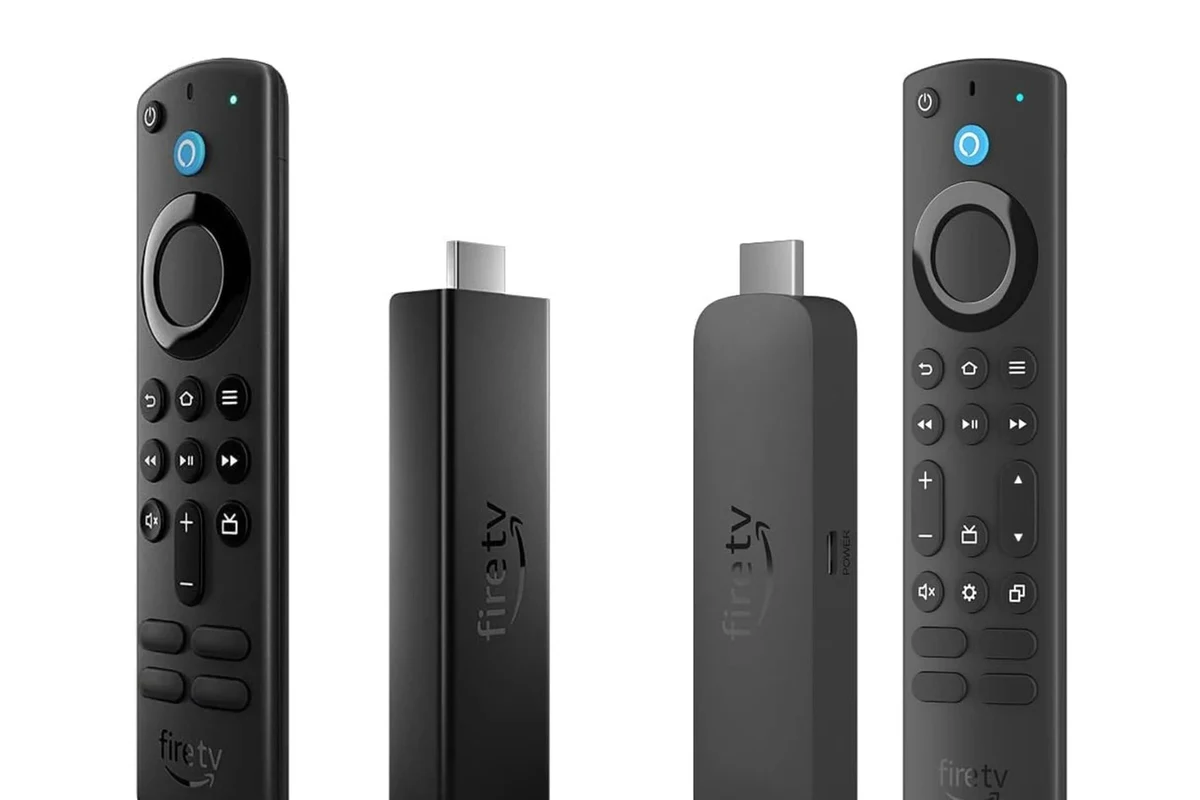
Understanding the Basics: What is a Fire Stick?
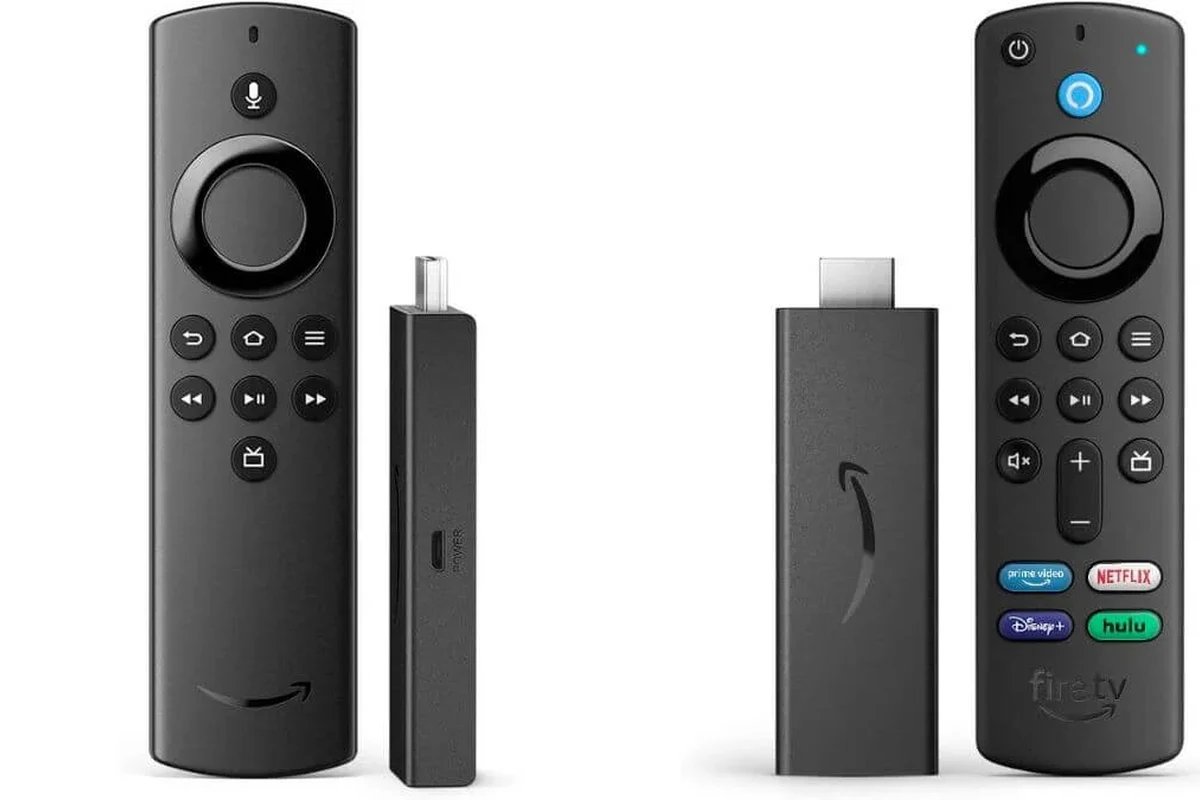
The Fire Stick is a small streaming device from Amazon that connects to your TV’s HDMI port. It provides access to a variety of streaming services, including Prime Video, Netflix, and Hulu, effectively transforming any standard TV into a smart TV. This connects closely with what to use smart plugs for to simplify your home automation if you want to compare the topic in more detail.
Use this guide for is fire stick worth it as a practical checklist, then adjust the advice to your exact device model, operating system, workspace, and budget.
Key Features of the Fire Stick: What to Expect
Key Features of the Fire Stick: What to Expect adds practical context to is fire stick worth it by focusing on the details that affect real setup and daily use. Check what applies to the current device, what needs verification, and which next step is safest before making another change. You can also use what is a smart home hub as a helpful next guide on the same tech-accessories topic.
| Feature | Description | Benefits |
|---|---|---|
| Voice Control | Integrates with Alexa for hands-free control. | Easy navigation and search without a remote. |
| Wide App Compatibility | Supports popular streaming services. | Access to a vast library of content. |
| 4K Streaming | Supports 4K UHD content for compatible TVs. | Enhanced picture quality for an immersive experience. |
| Portable Design | Compact and easy to set up. | Ideal for travel or moving between rooms. |
| Smart Home Integration | Works with various smart home devices. | Control your smart home through the Fire Stick. |
Real-World Use Cases: Who Can Benefit from a Fire Stick?
The Fire Stick serves a diverse audience, from casual viewers to avid gamers. Recognizing the various ways people use the device can help you determine if it meets your specific entertainment needs.
Streaming Enthusiasts
For those who enjoy binge-watching series or movies, the Fire Stick provides access to numerous streaming platforms. With its extensive app library and customizable interface, it caters specifically to the needs of avid streamers.
- Access to over 500,000 movies and TV episodes.
- Easy navigation through a user-friendly interface.
- Personalized recommendations based on viewing habits.
Gamers and Interactive Users
The Fire Stick is not just for streaming videos; it also offers gaming options. Users can play casual games and access cloud gaming platforms, making it a versatile entertainment device.
Play games through various streaming services. Connect compatible controllers for an enhanced gaming experience. Access to game streaming platforms like Luna.
Smart Home Integrators
For those who have invested in smart home technology, the Fire Stick can serve as a central hub for managing devices. Its integration with Alexa allows for seamless control over smart home functions. For related context, you may also want to read is alexa better than siri for smart home controls.
- Control smart lights, cameras, and thermostats through voice commands.
- Monitor smart home devices directly from the Fire Stick interface.
- Set routines that combine streaming and home automation.
Small details such as port type, charger wattage, firmware version, desk space, and app permissions can completely change the right answer.
Limitations of the Fire Stick: What You Should Know
While the Fire Stick offers numerous advantages, it also comes with limitations that potential buyers should consider. Understanding these drawbacks can help you decide if this device meets your specific needs.
Performance and Compatibility Issues
Users may encounter performance issues, particularly if their internet connection is slow or unstable. Additionally, not all apps are compatible with the Fire Stick, which may limit your viewing options.
Streaming quality can suffer on slow internet connections. Some apps may not be available or fully functional. Older TV models may have compatibility issues.
Content Restrictions and Access
Content availability can vary significantly based on your region, which may affect the overall value of the Fire Stick. Users should be aware of potential restrictions when considering this device. This connects closely with how to use a smart plug with alexa if you want to compare the topic in more detail.
- Some content may be geo-restricted and unavailable in certain areas.
- Subscription fees for various streaming services can add up.
- Free content may be limited and ad-supported.
Setting Up Your Fire Stick: A Step-by-Step Guide
Setting up the Fire Stick is quick and easy, allowing users to start streaming almost immediately. Following a simple step-by-step guide can help ensure a smooth installation experience. You can also use how to set up a smart plug for effortless home automation as a helpful next guide on the same tech-accessories topic.
- Connect the Fire Stick
Plug the Fire Stick into an available HDMI port on your TV and connect the power adapter to an outlet.
- Select the Input Source
Turn on your TV and select the HDMI input where the Fire Stick is connected.
- Connect to Wi-Fi
Follow the on-screen instructions to connect the Fire Stick to your Wi-Fi network.
- Sign in to Your Amazon Account
If you have an Amazon account, sign in; otherwise, create a new one.
- Download Your Favorite Apps
Browse and install apps for your preferred streaming services.
- Choose the product category first, then compare models.
- Ignore unsupported performance or durability claims.
- Look for model-specific limitations before purchase.
Common Mistakes to Avoid When Using a Fire Stick
New users may encounter pitfalls that can hinder their experience with the Fire Stick. This section highlights common mistakes and how to avoid them for optimal use.
Neglecting to update the Fire Stick software regularly. Overloading the device with too many apps, which can slow performance. Ignoring privacy settings, which can expose personal data. For related safety context, compare this with do i need a smart home hub.
Before buying, verify compatibility, size, ports, wattage, warranty, return policy, and current model details from official or retailer sources.
Alternatives to Fire Stick: Exploring Other Streaming Devices
While the Fire Stick is widely popular, several other streaming devices may better meet individual preferences. Exploring these alternatives can help you find the best fit for your entertainment setup. This connects closely with what is thread protocol smart home if you want to compare the topic in more detail.
- Roku Streaming Stick: Offers a user-friendly interface and supports a wide range of streaming services.
- Apple TV: Provides a premium streaming experience with robust integration for Apple users.
- Google Chromecast: Allows users to cast from mobile devices to the TV, ideal for those who prefer smartphone control.
Safety, Privacy, and Support: What Users Need to Consider
When using any smart device, safety and privacy should be top priorities for Fire Stick users. Understanding potential risks and how to address them is essential for a secure streaming experience.
Regularly reviewing privacy settings is essential for data protection. Updating the device’s firmware ensures vulnerabilities are addressed. Contacting Amazon support for troubleshooting can help resolve issues effectively.
This guide on is fire stick worth it is written for general digital-information education. For specifications, compatibility, prices, availability, firmware/software versions, warranty terms, recalls, privacy settings, or safety limits, confirm details with the official manual, manufacturer page, retailer listing, warranty document, or current support notice before acting.
Making Your Decision: Is Fire Stick Worth the Investment?
Ultimately, the decision to invest in a Fire Stick depends on your unique entertainment needs and preferences. Evaluating its features against your usage patterns can help you determine its value in your setup.
- If you stream frequently, the Fire Stick offers extensive content options.
- The device is ideal for users who value smart home integration.
- Consider alternative devices if you have specific app requirements not met by the Fire Stick.
How to Determine if Fire Stick Meets Your Streaming Needs
is fire stick worth it is mainly a decision problem: match the product to your device, workspace, budget, comfort needs, and long-term use. A good choice should solve the main need without creating compatibility, safety, or privacy problems.
Compare the same criteria across every option. Verify specs, ports, wattage, size, warranty, and return policy. Prefer fit-for-purpose products over generic “best” claims.
Final Words
Overall, the Fire Stick offers a versatile streaming solution that many users will find worthwhile. Despite some limitations, its wide array of features and compatibility with smart home technology make it a strong addition to your entertainment system.
💡 Sufiya Begom's Smart Home Note: Check Wi-Fi band, app permissions, firmware updates, privacy settings, ecosystem support, and safe electrical load before relying on any smart-home device.
Frequently Asked Questions
Questions about Fire TV Stick often depend on the exact model, connection method, software support, and daily use case. Similar products can behave differently even when they look alike or share a category name. Check current manufacturer documentation whenever compatibility, safety, privacy, firmware, or warranty details affect the answer.
Start with intended use, fit, verified specifications, safety instructions, care needs, and important limitations.
Start with the exact Fire TV Stick model, connection method, compatibility requirements, and the specific result you need. Current manufacturer documentation is the safest place to confirm details that vary by model.
Check the operating system, ports or wireless standard, power requirements, app or driver support, and any ecosystem limitations that apply to the exact setup.
A common mistake is treating every Fire TV Stick product or setup as interchangeable. Similar-looking models can differ in ports, software support, power needs, dimensions, or privacy controls.
Use the cleaning, ventilation, inspection, charging, storage, and update guidance that applies to the product type. Disconnect power first whenever the manufacturer instructions require it.
Stop and seek official support when the problem involves overheating, damaged power hardware, unstable mounting, repeated failures, data loss, or a privacy concern you cannot resolve safely.

Sufiya Begom is a Passionate Digital Innovator and the Visionary Founder of the Dynamic Platform, Digital Pro Info. With a deep-rooted enthusiasm for digital technologies, Sufiya has built a comprehensive space that offers valuable insights into digital products, reviews, guides, software, and sales, empowering individuals to make informed decisions in the ever-evolving digital landscape.