
To adjust Varidesk dual monitor arm, loosen the adjustment knobs to reposition the arms and monitors to your desired height and angle. After setting up, tighten the knobs to secure the monitors in place for optimal setup.
Last updated: November 25, 2026
Adjusting your Varidesk dual monitor arm can greatly enhance your workspace efficiency and comfort. This guide covers how to adjust varidesk dual monitor arm for optimal setup, ensuring you achieve the best ergonomic position for your monitors. Follow these detailed steps to achieve a comfortable and productive workspace. This connects closely with how to setup smart plug if you want to compare the topic in more detail.
- Start with the setup: Device model, OS, ports, power needs, and workspace change the right answer.
- Check compatibility first: Verify specifications, drivers, firmware, app support, warranty, and return policy before acting.
- Use practical steps: Change one setting or product variable at a time so you can see what.
- Know the limits: Tech advice varies by model, brand, operating system, retailer, firmware version, and official support.
Understanding the Varidesk Dual Monitor Arm
The Varidesk dual monitor arm is designed to provide flexible positioning for your monitors, enhancing your workspace’s ergonomics and aesthetics. Understanding the components and functionality of the arm is crucial for effective adjustments, enabling you to optimize your setup according to your preferences and needs. For related context, you may also want to read how to setup kasa smart plug for effortless home automation.
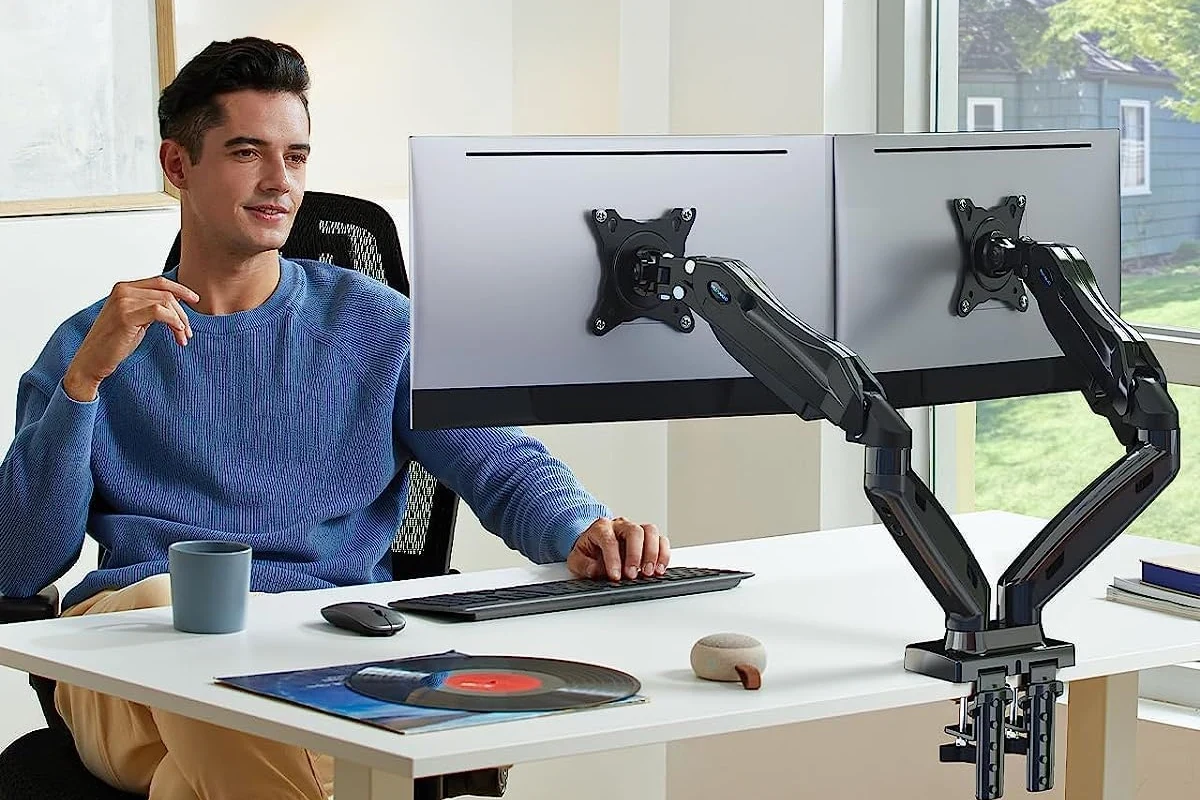
Use this guide for how to adjust varidesk dual monitor arm as a practical checklist, then adjust the advice to your exact device model, operating system, workspace, and budget.
Step-by-Step Guide to Adjusting Your Dual Monitor Arm
Adjusting your dual monitor arm correctly involves several key steps, from initial setup to fine-tuning for comfort. This section provides a comprehensive guide to ensure your monitors are positioned just right.
Initial Setup: Tools and Requirements
Setting up your Varidesk dual monitor arm requires careful attention to detail for optimal performance. Make sure to check the weight limits of your monitors and their VESA compatibility before beginning the installation process. This will ensure a secure fit and prevent any potential damage to your equipment.
- Tools: Screwdriver, level, measuring tape.
- Check monitor weight and VESA compatibility.
- Ensure the work surface is clear and stable for adjustments.
Positioning Your Monitors: Height and Angle Adjustments
The height and angle of your monitors significantly affect your comfort and productivity. Positioning them correctly can reduce neck strain and eye fatigue. Adjust the monitors to eye level and at a slight angle to minimize glare.
Adjust the height until the top of the monitor is at or slightly below eye level. Set the monitor angle to about 20-30 degrees away from your body. Ensure the monitors are at least an arm’s length away to reduce eye strain.
Fine-Tuning for Ergonomic Comfort
After setting the initial positions, fine-tune the monitors for optimal comfort. Take a moment to sit back and assess if any adjustments are needed. Small tweaks can make a significant difference in your overall comfort level during work hours. This connects closely with how to setup gosund smart plug 2 if you want to compare the topic in more detail.
- Adjust the tilt to reduce reflections from overhead lights.
- Check the distance again; remeasure if necessary.
- Consider using a chair that supports your posture while working.
Small details such as port type, charger wattage, firmware version, desk space, and app permissions can completely change the right answer.
Common Mistakes When Adjusting Your Monitor Arm
While adjusting your Varidesk dual monitor arm, it’s easy to make common mistakes that can affect your comfort and productivity. Awareness of these pitfalls can help you avoid them and achieve a better setup.
| Common Mistakes | Impact on Setup |
|---|---|
| Not adjusting height | Poor eye level alignment |
| Incorrect tilt angle | Increased glare on screens |
| Overtightening joints | Reduced flexibility and movement |
| Ignoring cable management | Cluttered workspace and potential damage |
Overlooking Cable Management
An often overlooked aspect of monitor setup is cable management. Poor cable organization can create a cluttered workspace and may lead to accidents or damage. Ensure that cables are neatly arranged and secured to avoid tangling or pulling.
Use cable ties or clips to keep cables organized. Route cables along the arm or desk edge to keep them away from your workspace. Check for any strain on connectors to prevent damage.
Neglecting Monitor Weight Limits
Every monitor arm has a specific weight limit that should not be exceeded. Failing to adhere to these limits can compromise the stability of your monitors and lead to potential accidents. Always verify the weight of your monitors against the arm’s specifications. You can also use how to setup smart plug with alexa 2 as a helpful next guide on the same tech-accessories topic.
- Review the manufacturer’s specifications for weight limits.
- Weigh your monitors if unsure about their weight.
- Consider upgrading to a more robust arm if your monitors exceed the limit.
Compatibility Checks for Your Monitor and Desk
Ensuring compatibility between your monitors, the Varidesk arm, and your desk is essential for a successful setup. Incompatibilities can lead to functional issues or structural instability.
Monitor Size and VESA Mounting Standards
Before installation, check that your monitors meet the VESA mounting standards required by the Varidesk dual monitor arm. This compatibility ensures that your monitors are securely attached and function properly.
Verify that your monitor has a VESA mount compatible with the arm. Check the size of the monitor against the arm’s specifications. Adjust the arm’s width to accommodate various monitor sizes.
Desk Space and Stability Considerations
Consider the size and stability of your desk when setting up your Varidesk arm. A sturdy desk is crucial to support the weight of the monitors and the arm itself without tipping or wobbling. For related context, you may also want to read how to setup gosund smart plug.
- Ensure your desk can support the weight of the monitors and arm combined.
- Check that there’s ample space for the arm to extend without obstruction.
- Stabilize the desk if necessary to enhance support.
- Write down the exact error or behavior before changing settings.
- Test with another cable, port, or device when safe.
- Keep firmware, drivers, and apps updated from official sources.
Safety and Maintenance Tips for Your Varidesk Monitor Arm
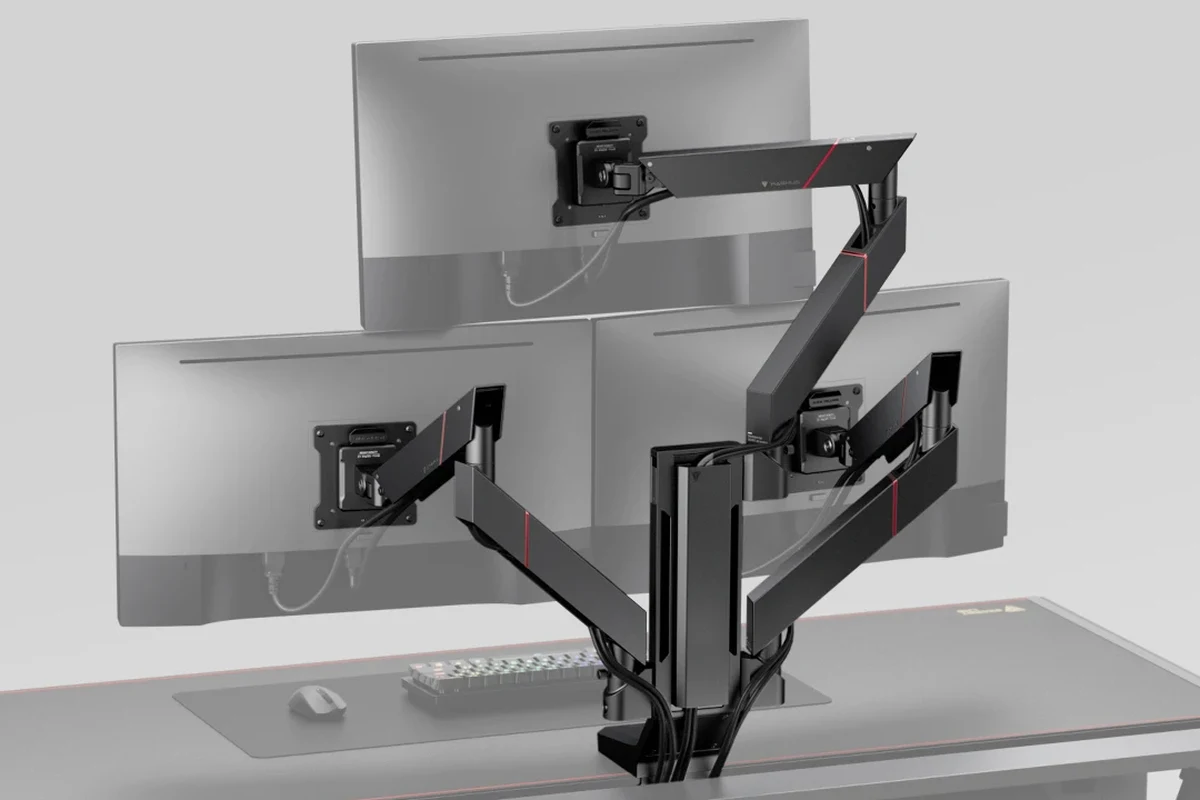
Maintaining safety and functionality is vital to ensure the longevity of your Varidesk dual monitor arm. Regular check-ups and maintenance can prevent accidents and enhance performance.
Regular Inspections for Wear and Tear
Periodically inspect your monitor arm for any signs of wear and tear. Components may loosen over time, which can lead to instability or damage. Regular checks can help you catch potential issues before they become serious.
Inspect joints and screws for looseness at least once a month. Look for any signs of wear on the arm or mounts. Tighten any loose screws or connections promptly.
Proper Cleaning to Maintain Functionality
Keeping your monitor arm clean not only improves aesthetics but also ensures that it functions correctly. Dust and grime can accumulate in the joints and moving parts, potentially causing operational issues. This connects closely with how to setup smart plug with alexa if you want to compare the topic in more detail.
- Wipe down the arm with a soft, dry cloth regularly.
- Use a compressed air canister to remove dust from hard-to-reach areas.
- Avoid using harsh chemicals that may damage the finish.
Use official support or warranty guidance if the issue involves overheating, power, damaged cables, unstable mounting, privacy risk, data loss, or repeated failures.
When to Consider a Replacement for Your Monitor Arm
Even the best products have a lifespan. Knowing when to replace your Varidesk dual monitor arm can help you maintain an efficient workspace. Signs of wear or damage should prompt you to consider a replacement.
Monitor arm shows significant wear or rust. Inability to hold monitors securely or at the desired angles. Frequent adjustments needed due to instability or looseness. You can also use how to setup kasa smart plug as a helpful next guide on the same tech-accessories topic.
This guide on how to adjust varidesk dual monitor arm is written for general digital-information education. For specifications, compatibility, prices, availability, firmware/software versions, warranty terms, recalls, privacy settings, or safety limits, confirm details with the official manual, manufacturer page, retailer listing, warranty document, or current support notice before acting.
What This Means for Your Home Office Setup
Adjusting your Varidesk dual monitor arm correctly can significantly enhance your ergonomics and productivity. By ensuring your monitors are properly positioned, you can reduce strain and create a more comfortable work environment. This is especially important for those who spend long hours in front of their screens. For setup context, how to setup amazon smart plug can help you compare similar setup details.
Final Words
Successfully adjusting your Varidesk dual monitor arm enhances ergonomics and productivity in your workspace. Regularly check the arm’s tension and monitor positioning to maintain an ideal setup that reduces strain on your neck and eyes. This proactive approach helps ensure a comfortable and efficient work environment.
💡 Sufiya Begom's Setup Advice: Check VESA support, screen weight, desk thickness, eye level, cable clearance, and stability before buying or mounting any monitor accessory.
Frequently Asked Questions
Questions about Monitor Arm often depend on the exact model, connection method, software support, and daily use case. Similar products can behave differently even when they look alike or share a category name. Check current manufacturer documentation whenever compatibility, safety, privacy, firmware, or warranty details affect the answer.
Start with intended use, fit, verified specifications, safety instructions, care needs, and important limitations.
Start with the exact Monitor Arm model, connection method, compatibility requirements, and the specific result you need. Current manufacturer documentation is the safest place to confirm details that vary by model.
Check the operating system, ports or wireless standard, power requirements, app or driver support, and any ecosystem limitations that apply to the exact setup.
A common mistake is treating every Monitor Arm product or setup as interchangeable. Similar-looking models can differ in ports, software support, power needs, dimensions, or privacy controls.
Use the cleaning, ventilation, inspection, charging, storage, and update guidance that applies to the product type. Disconnect power first whenever the manufacturer instructions require it.
Stop and seek official support when the problem involves overheating, damaged power hardware, unstable mounting, repeated failures, data loss, or a privacy concern you cannot resolve safely.

Sufiya Begom is a Passionate Digital Innovator and the Visionary Founder of the Dynamic Platform, Digital Pro Info. With a deep-rooted enthusiasm for digital technologies, Sufiya has built a comprehensive space that offers valuable insights into digital products, reviews, guides, software, and sales, empowering individuals to make informed decisions in the ever-evolving digital landscape.