
Yes, you can use a monitor arm on a glass desk safely, provided that the glass is tempered and the monitor arm is compatible with the desk’s weight limit. Ensure to use protective pads or clamps designed for glass to avoid damage.
Last updated: November 24, 2026
- Start with the setup: Device model, OS, ports, power needs, and workspace change the right answer.
- Check compatibility first: Verify specifications, drivers, firmware, app support, warranty, and return policy before acting.
- Use practical steps: Change one setting or product variable at a time so you can see what.
- Know the limits: Tech advice varies by model, brand, operating system, retailer, firmware version, and official support.
Can You Use a Monitor Arm on a Glass Desk Safely?
Can You Use a Monitor Arm on a Glass Desk Safely? adds practical context to can you use a monitor arm on a glass desk by focusing on the details that affect real setup and daily use.
Check what applies to the current device, what needs verification, and which next step is safest before making another change. For related context, you may also want to read can you use ring camera without a subscription.

This guide on can you use a monitor arm on a glass desk is written for general digital-information education. For specifications, compatibility, prices, availability, firmware/software versions, warranty terms, recalls, privacy settings, or safety limits, confirm details with the official manual, manufacturer page, retailer listing, warranty document, or current support notice before acting.
Understanding Monitor Arms
Understanding Monitor Arms adds practical context to can you use a monitor arm on a glass desk by focusing on the details that affect real setup and daily use. Check what applies to the current device, what needs verification, and which next step is safest before making another change. This connects closely with can you use your ring doorbell without a subscription if you want to compare the topic in more detail.
Glass Desk Compatibility with Monitor Arms
Glass desks can pose unique challenges when it comes to compatibility with monitor arms. Ensure that the monitor arm you choose is designed to securely attach to glass surfaces, considering factors like weight limits and mounting methods to prevent damage. For setup context, can you use a ring camera without subscription can help you compare similar setup details.
| Monitor Arm Type | Weight Limit | Mounting Method |
|---|---|---|
| Clamp Mount | Up to 20 lbs | Attaches securely to the edge |
| Grommet Mount | Up to 30 lbs | Requires a hole in the desk |
| Adhesive Mount | Up to 15 lbs | Sticks directly to the glass |
- Weight Capacity: Ensure the monitor arm can support the weight of your monitor. Check the specifications to find the weight limit.
- Mounting Mechanism: Clamp-style mounts may not be ideal for glass desks unless they come with protective padding. Grommet mounts require a hole in the desk, which may not be feasible for glass.
- Stability: A stable connection is crucial to avoid accidents. Ensure the arm is securely mounted and does not place excessive stress on the glass.
Those looking to optimize workspace ergonomics.
Individuals working in limited spaces needing adjustable setups.
Content creators requiring flexible monitor positioning.
Types of Monitor Arms Suitable for Glass Desks
When selecting a monitor arm for a glass desk, prioritize designs that utilize suction cups or specialized clamps. These types of monitor arms distribute weight evenly and minimize stress on the glass, allowing for safe and stable monitor positioning. For related context, you may also want to read can you use a ring doorbell without a subscription.
| Type | Description | Best For |
|---|---|---|
| Clamp Mount | Attaches to the edge of the desk with clamps. | Desks with a thick edge; protective padding required. |
| Grommet Mount | Requires a hole drilled into the desk. | Stable glass desks; provides a clean look. |
| Wall-Mounted | Mounts directly to the wall, freeing desk space. | Ideal for small desks; avoids stress on glass. |
- Check your monitor’s weight and compatibility with the arm.
- Inspect your glass desk for thickness and stability.
- Review installation instructions and safety guidelines.
Installation Considerations
Careful installation is key to safely mounting a monitor arm on a glass desk. Use the provided hardware and follow the manufacturer’s instructions closely to ensure a secure fit that won’t compromise the integrity of the glass. For setup context, can you use tapo camera without subscription can help you compare similar setup details.
- Choose the Right Arm: Select a monitor arm that supports your monitor’s weight and is compatible with glass.
- Prepare the Desk: Clean the area where the monitor arm will attach to ensure a secure fit.
- Use Protective Padding: If using a clamp mount, ensure it has protective padding to prevent glass damage.
- Follow Manufacturer Instructions: Carefully follow the installation instructions provided with your monitor arm.
- Test Stability: Once installed, gently test the monitor arm’s stability by adjusting the monitor to different positions.
Ergonomics of Using a Monitor Arm
Ergonomics play a vital role in creating a comfortable workspace when using a monitor arm. Aim to position your monitor at eye level and at least an arm’s length away to reduce strain on your neck and eyes during prolonged use.
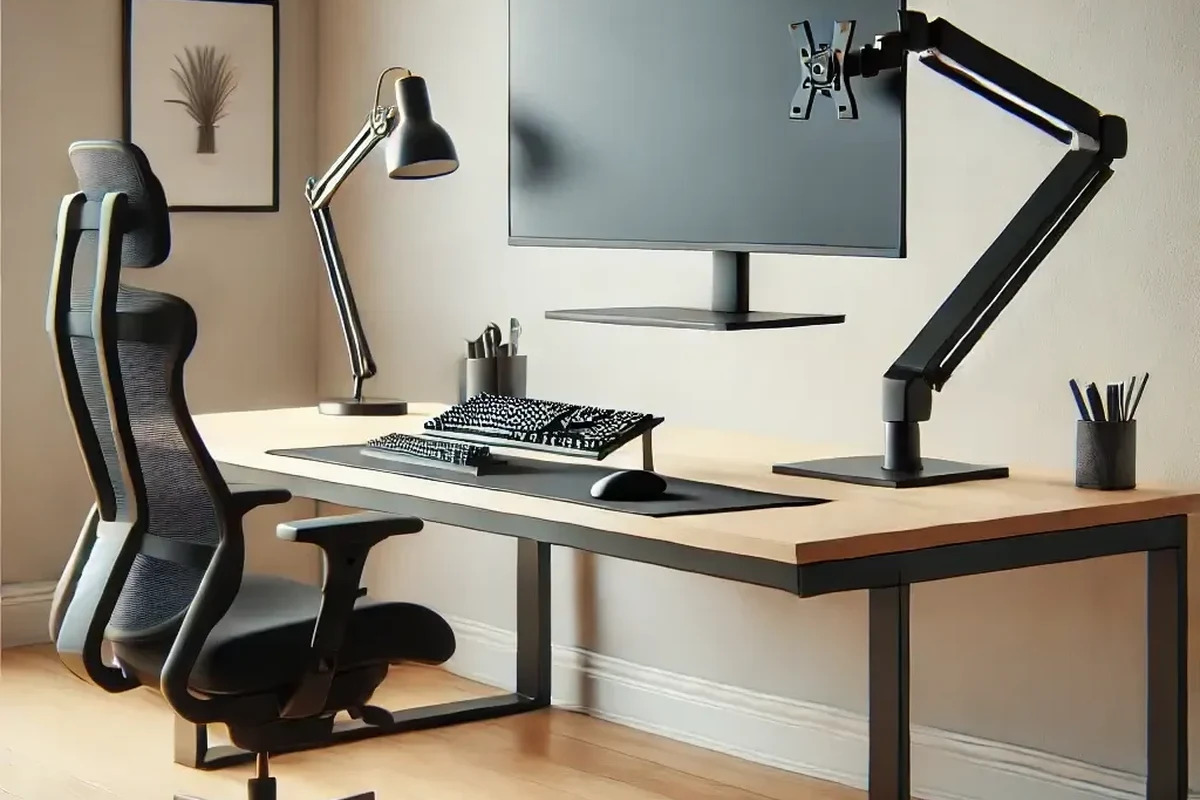
Position the top of the monitor screen at or slightly below eye level. Adjust the monitor’s distance so that it is about an arm’s length away. Ensure the monitor is tilted slightly back to reduce glare and neck strain. You can also use can you use ring camera without subscription as a helpful next guide on the same tech-accessories topic.
- Use a level to ensure the monitor arm is straight after installation.
- Consider a monitor arm with adjustable tension for easy movement.
- Keep cables organized and secured to prevent accidents.
Common Mistakes to Avoid
Common mistakes can undermine the effectiveness of a monitor arm on a glass desk. Avoid overloading the arm beyond its weight capacity, and ensure the glass surface is clean and free of any cracks or imperfections before installation. For related safety context, compare this with what can you do with a fire tv stick.
- Ignoring Weight Limits: Always check the monitor arm’s weight capacity to avoid accidents.
- Improper Installation: Failing to securely attach the arm can lead to instability.
- Neglecting Glass Thickness: Ensure the glass can handle the mounting method chosen, especially for clamp mounts.
If you encounter installation issues or stability concerns, consult the monitor arm’s manual or reach out to the manufacturer’s support team for guidance.
Ensuring Safety When Using a Monitor Arm on Glass Desks
For tech buyers considering a monitor arm for a glass desk, it’s essential to prioritize safety and compatibility. Understand the specifications of your desk and monitor arm to ensure a secure and ergonomic setup, maximizing both comfort and functionality in your workspace. This also connects with a video doorbell can assist you by enhancing home safety if you want to avoid a similar setup or buying mistake.
Maintenance and Care
Regular maintenance can prolong the life of your monitor arm and protect your glass desk. Periodically check all mounting screws and connections for tightness, and clean the glass surface to prevent dust buildup that could affect stability.
Regularly check the tightness of the monitor arm’s screws and clamps. Clean the glass surface with a suitable glass cleaner to avoid dirt build-up. Avoid placing heavy items on the desk that could affect the stability of the monitor arm.
Using a monitor arm can improve your posture and reduce eye strain, leading to increased productivity during long work or study sessions.
Alternatives to Monitor Arms on Glass Desks
If the risks of using a monitor arm on a glass desk concern you, explore alternatives like sturdy monitor stands or desktop risers. These options can provide similar ergonomic benefits without the potential complications associated with glass mounting.
- Monitor Stands: These provide elevation without modifying the desk.
- Wall-Mounted Brackets: Ideal for saving desk space and avoiding glass issues.
- Adjustable Monitor Risers: These can be placed directly on the desk for height adjustment.
Final Words
The main takeaway for can you use a monitor arm on a glass desk is to match the advice to the exact device, connection method, and daily use case. Use safe setup steps, verify model-specific details, and contact official support when power, heat, privacy, stability, or warranty concerns remain.
💡 Sufiya Begom's Setup Advice: Check VESA support, screen weight, desk thickness, eye level, cable clearance, and stability before buying or mounting any monitor accessory.
Frequently Asked Questions
Questions about Monitor Arm often depend on the exact model, connection method, software support, and daily use case. Similar products can behave differently even when they look alike or share a category name. Check current manufacturer documentation whenever compatibility, safety, privacy, firmware, or warranty details affect the answer.
No, not all monitor arms are suitable for glass desks. It’s crucial to choose one specifically designed for this purpose to ensure stability and safety.
Check the weight capacity of the monitor arm and ensure your glass desk can support it. Additionally, ensure the thickness of the glass is adequate for clamping.
Regularly check the tightness of screws and clamps, clean the arm to remove dust, and inspect for any signs of wear or damage.
Alternatives include monitor stands and desk risers, which provide similar ergonomic benefits without the need for clamping onto glass surfaces.
Using a monitor arm on a thin glass desk can be risky. Ensure the glass is thick enough to support the clamp securely.
Monitor arms improve workspace organization, reduce clutter, and allow for adjustable positioning to enhance ergonomics and comfort during use.

Sufiya Begom is a Passionate Digital Innovator and the Visionary Founder of the Dynamic Platform, Digital Pro Info. With a deep-rooted enthusiasm for digital technologies, Sufiya has built a comprehensive space that offers valuable insights into digital products, reviews, guides, software, and sales, empowering individuals to make informed decisions in the ever-evolving digital landscape.