
To hide monitor arm, consider using cable management solutions like sleeves or clips to conceal wires. Additionally, placing the monitor on a desktop riser or using wall-mounted shelves can effectively mask the arm and create a cleaner workspace setup.
Last updated: November 28, 2026
Creating a tidy workspace is achievable by concealing a monitor arm. By selecting the right mounting spots and managing cables effectively, you can reduce visibility while keeping your setup functional. This guide offers techniques to improve the visual appeal of your workspace.
- Start with the setup: Device model, OS, ports, power needs, and workspace change the right answer.
- Check compatibility first: Verify specifications, drivers, firmware, app support, warranty, and return policy before acting.
- Use practical steps: Change one setting or product variable at a time so you can see what.
- Know the limits: Tech advice varies by model, brand, operating system, retailer, firmware version, and official support.
How to Hide a Monitor Arm: Creating a Clean Workspace Setup
A clutter-free workspace is vital for maintaining productivity and focus. While a monitor arm provides valuable support, it can sometimes disrupt the overall look of your desk. Learning how to hide a monitor arm can lead to a more organized and visually pleasing environment. For setup context, how to setup kasa smart plug for effortless home automation can help you compare similar setup details.
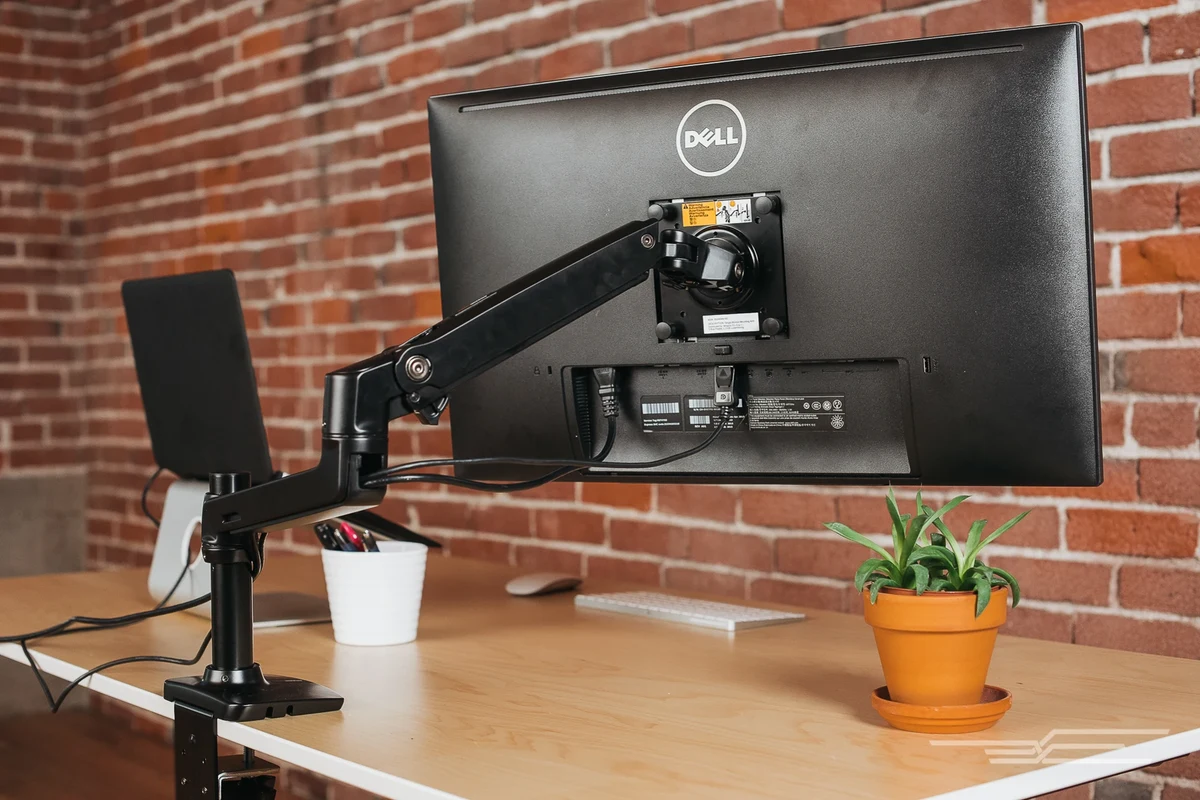
- Measure the height of your chair and desk before mounting.
- Choose a wall with minimal visual distractions.
- Consider using a mounting template for precise alignment.
Understanding the Importance of a Tidy Workspace
Maintaining an organized workspace can boost concentration and efficiency. Visible clutter, like monitor arms and cables, can be distracting. A clean environment not only enhances productivity but also contributes to a more enjoyable work atmosphere. This connects closely with how smart plugs work setup compatibility safety tips if you want to compare the topic in more detail.
Types of Monitor Arms and Their Visibility Issues
Monitor arms come in various designs, each with specific visibility concerns. Knowing the types of monitor arms available can guide you in choosing the most effective concealment method. Understanding these differences is key to improving your workspace’s aesthetics.
Common Styles of Monitor Arms
Monitor arms come in various styles, including desk-mounted, wall-mounted, and clamp-on models. Each style has its own set of visibility issues that can affect your workspace’s appearance. You can also use how does a smart lock work setup features and daily use as a helpful next guide on the same tech-accessories topic.
- Desk-mounted: These arms attach directly to your desk, which can create a cluttered look if not managed properly.
- Wall-mounted: These options can minimize desk space but may require careful positioning to avoid visibility.
- Clamp-on: These are versatile but can sometimes obstruct other items on your desk.
| Type | Visibility Issue | Concealment Strategy |
|---|---|---|
| Desk-mounted | Visible clamps and bulk | Use decorative covers |
| Wall-mounted | Height and angle visibility | Position behind decor |
| Clamp-on | Obstructs adjacent items | Reorganize desk layout |
- Check your existing cable lengths and types.
- Evaluate your desk’s layout and available space.
- Consider your monitor’s weight and the arm’s capacity.
Step-by-Step Guide: Hiding Your Monitor Arm
Hiding a monitor arm can be accomplished through several steps. By following a systematic approach, you can create a clutter-free environment without sacrificing functionality. Here’s a detailed guide to help you through the process.
Choosing the Right Mounting Location
The placement of your monitor arm is crucial for both visibility and ergonomics. Selecting the right location can significantly reduce its visual impact. Consider the following factors when choosing a mounting location.
Ergonomic height: Ensure the monitor is at eye level for comfort. Wall space: Utilize wall-mounted arms if desk space is limited. Desk layout: Position the arm in a way that minimizes clutter.
Using Cable Management Solutions
Cable management is a vital aspect of hiding a monitor arm. Managing cables neatly can significantly enhance the appearance of your workspace. Here are some effective cable management solutions. For related context, you may also want to read how to setup gosund smart plug 2.
- Cable sleeves: These can bundle multiple cables together for a neater look.
- Cable clips: These can attach cables to the underside of your desk, keeping them hidden.
- Raceways: These are ideal for concealing cables along walls or desks.
💡 Sufiya Begom’s Tip: Choose decorative elements that resonate with your personal style and workspace theme for a cohesive look.
Practical Tips for Concealing Monitor Arms
Beyond cable management and mounting strategies, there are various practical tips to further conceal monitor arms. These techniques can add to the visual appeal of your workspace while maintaining functionality.
Utilizing Decorative Elements
Utilizing decorative elements can transform your monitor arm into a stylish part of your workspace. Consider using plants, artwork, or decorative boxes to creatively conceal the arm while adding personality to your setup. This approach not only enhances aesthetics but can also improve your focus and creativity.
Potted plants: Position plants strategically to obscure the arm. Artwork: Hang artwork or photos that can draw attention away from the monitor arm. Desk organizers: Use organizers to create a layered effect, hiding the arm behind them.
Employing Wall-Mounted Solutions
Employing Wall-Mounted Solutions adds practical context to how to hide monitor arm by focusing on the details that affect real setup and daily use. Check what applies to the current device, what needs verification, and which next step is safest before making another change. This connects closely with how to setup smart plug with alexa 2 if you want to compare the topic in more detail.
- Wall shelves: Install shelves above your desk to mount monitors, clearing up desk space.
- Floating desks: Consider a floating desk that can house your monitor arm out of sight.
- Monitor covers: Use decorative covers that can hide the arm when not in use.
Ensure that any wall-mounted solution is securely installed to prevent accidents or damage.
Common Mistakes to Avoid When Hiding Your Monitor Arm
While hiding a monitor arm can enhance your workspace, there are common pitfalls to avoid. Being aware of these mistakes can save you time and frustration.
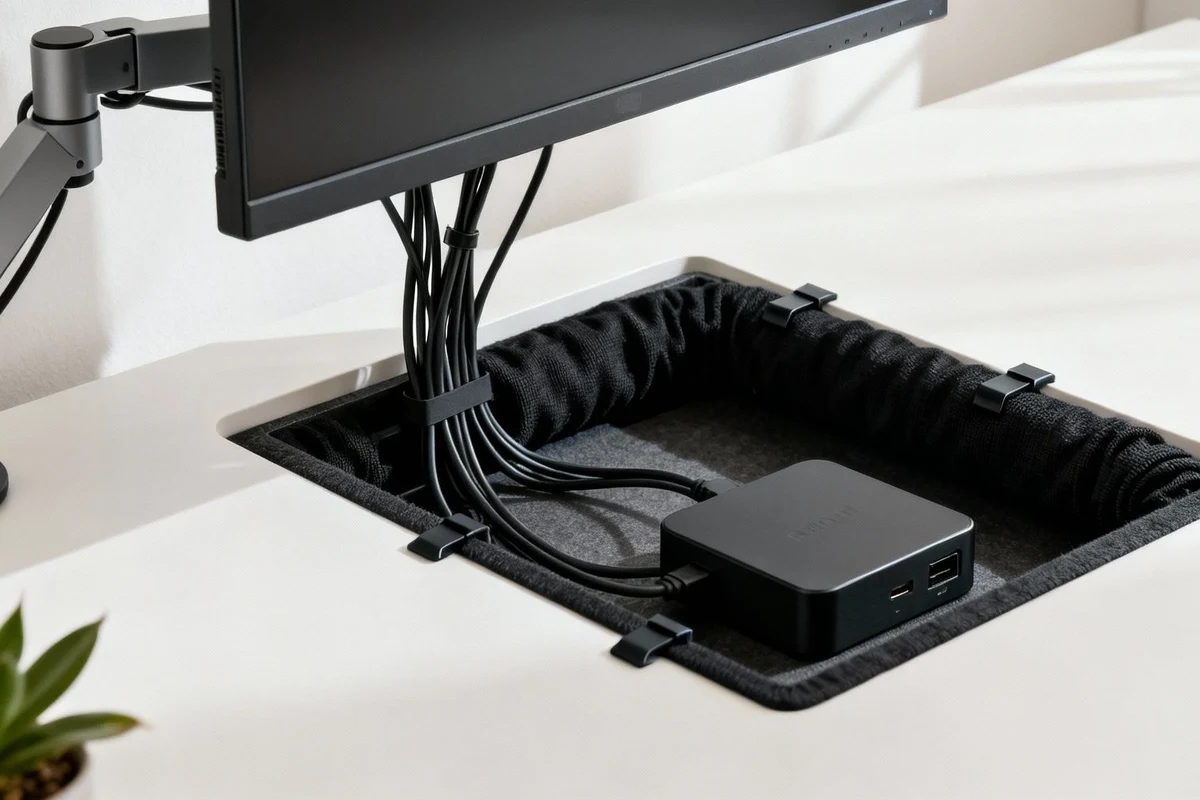
Ignoring ergonomics: Always prioritize comfort over aesthetics to avoid strain. Overcomplicating cable management: Keep solutions simple to avoid confusion. Neglecting stability: Ensure that any mounting solutions are securely fastened to prevent accidents. This also connects with how to setup gosund smart plug if you want to avoid a similar setup or buying mistake.
Refer to the monitor arm’s manual for specific weight limits and compatibility guidelines.
Compatibility and Safety Considerations
When hiding a monitor arm, compatibility and safety are key factors to consider. Understanding these elements can help ensure a secure and functional setup.
Checking Weight Limits and Monitor Size
Before installing a monitor arm, check the weight limits and ensure compatibility with your monitor size. This step is vital for maintaining a safe and functional workspace. Proper assessment helps avoid potential issues down the line.
- Weight limits: Always adhere to the manufacturer’s specifications for weight limits.
- Monitor size: Ensure your monitor fits the arm properly to avoid instability.
- Mounting type: Check which mounting type is suitable for your monitor.
Ensuring Stability and Safety
Stability is crucial for any monitor arm setup. Ensure that your mount is secure to prevent accidents. Here are a few tips to ensure stability.
Periodic checks: Regularly inspect the arm and mounting hardware for wear. Use proper tools: Ensure you use the correct tools for installation to maintain integrity. Consult professionals: If in doubt, consider hiring a professional for installation. For related safety context, compare this with how to setup smart plug with alexa.
Alternative Solutions for a Minimalist Setup
If hiding a monitor arm proves too challenging or impractical, consider alternative solutions that align with a minimalist design. These options can provide functionality without the visual clutter.
Choosing a Monitor Stand Instead
A monitor stand can be an effective alternative to a monitor arm, providing a clean look without the need for mounting. Here’s what to consider.
- Height adjustment: Look for stands that offer height adjustments for ergonomic comfort.
- Storage options: Choose stands with built-in storage to reduce desk clutter.
- Design: Select a design that complements your workspace aesthetic.
Exploring All-in-One Desks
All-in-one desks are another minimalist solution, integrating storage and monitor space into a single unit. This option can eliminate the need for separate monitor arms.
Integrated solutions: Look for desks with built-in monitor mounts for a seamless look. Compact designs: Opt for designs that maximize space without sacrificing function. Customization: Consider desks that allow for personal customization to fit your style. This connects closely with how to setup kasa smart plug if you want to compare the topic in more detail.
This guide on how to hide monitor arm is written for general digital-information education. For specifications, compatibility, prices, availability, firmware/software versions, warranty terms, recalls, privacy settings, or safety limits, confirm details with the official manual, manufacturer page, retailer listing, warranty document, or current support notice before acting.
Creating a Tidy Workspace: Benefits of Hiding Your Monitor Arm
Understanding how to hide a monitor arm effectively can lead to a more organized and aesthetically pleasing workspace. By considering various mounting options, cable management techniques, and alternative solutions, tech buyers can create a workspace that not only looks good but also enhances productivity.
Final Words
Finalizing your workspace with a hidden monitor arm can significantly enhance your productivity and enjoyment. A well-thought-out setup not only looks good but also creates a comfortable and efficient work environment. Take the time to adjust and personalize your arrangement for the best results.
Frequently Asked Questions
Questions about Monitor Arm often depend on the exact model, connection method, software support, and daily use case. Similar products can behave differently even when they look alike or share a category name. Check current manufacturer documentation whenever compatibility, safety, privacy, firmware, or warranty details affect the answer.
Start with intended use, fit, verified specifications, safety instructions, care needs, and important limitations.
Start with the exact Monitor Arm model, connection method, compatibility requirements, and the specific result you need. Current manufacturer documentation is the safest place to confirm details that vary by model.
Check the operating system, ports or wireless standard, power requirements, app or driver support, and any ecosystem limitations that apply to the exact setup.
A common mistake is treating every Monitor Arm product or setup as interchangeable. Similar-looking models can differ in ports, software support, power needs, dimensions, or privacy controls.
Use the cleaning, ventilation, inspection, charging, storage, and update guidance that applies to the product type. Disconnect power first whenever the manufacturer instructions require it.
Stop and seek official support when the problem involves overheating, damaged power hardware, unstable mounting, repeated failures, data loss, or a privacy concern you cannot resolve safely.

Sufiya Begom is a Passionate Digital Innovator and the Visionary Founder of the Dynamic Platform, Digital Pro Info. With a deep-rooted enthusiasm for digital technologies, Sufiya has built a comprehensive space that offers valuable insights into digital products, reviews, guides, software, and sales, empowering individuals to make informed decisions in the ever-evolving digital landscape.