
Yes, your desk can support a monitor arm if it has a sturdy construction and the appropriate weight capacity. Check the manufacturer’s specifications for maximum load limits and ensure the desk can accommodate the mounting mechanism for a monitor arm.
Last updated: November 23, 2026
Considering whether “can my desk support a monitor arm” is crucial for creating an ergonomic and efficient workspace. A sturdy desk not only enhances your productivity but also ensures the safety of your equipment.
In this article, we’ll explore key factors such as weight capacity, construction materials, and compatibility with different mounting systems to help you make an informed decision.
- Start with the setup: Device model, OS, ports, power needs, and workspace change the right answer.
- Check compatibility first: Verify specifications, drivers, firmware, app support, warranty, and return policy before acting.
- Use practical steps: Change one setting or product variable at a time so you can see what.
- Know the limits: Tech advice varies by model, brand, operating system, retailer, firmware version, and official support.
Can My Desk Support a Monitor Arm? Understanding the Basics
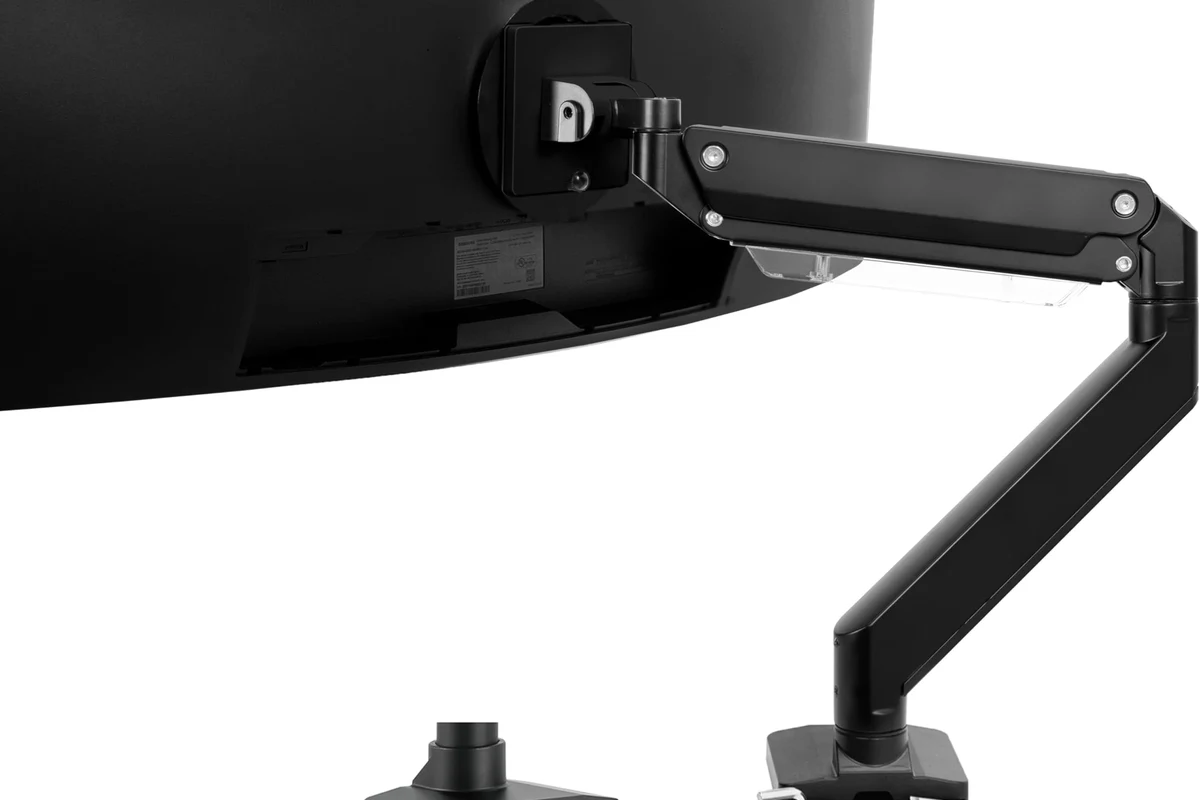
To determine if your desk can support a monitor arm, consider its weight capacity, material, and design. A monitor arm improves ergonomics and workspace organization, but it’s vital to ensure your desk can handle the extra weight and stress. For related safety or troubleshooting context, you may also want to read nanit plus vs pro baby monitor setup.
Key Factors Affecting Monitor Arm Compatibility
Several factors determine whether a monitor arm can be securely mounted to your desk. These include the desk’s weight limit, its material, and its design. Understanding these components can help you make an informed decision, ensuring both safety and functionality. You can also use can am smart lock setup tips troubleshooting as a helpful next guide on the same setup or usability topic.
Use this guide for can my desk support a monitor arm as a practical checklist, then adjust the advice to your exact device model, operating system, workspace, and budget.
Assessing Your Desk’s Weight Capacity
Every desk has a weight limit, which is critical for determining if it can support a monitor arm. This limit typically varies based on the desk’s design and materials. Knowing the weight capacity ensures that your setup remains stable and secure.
How to Find Your Desk’s Weight Limit
Finding your desk’s weight limit can be done by checking the manufacturer’s specifications or documentation. If unavailable, consider measuring the desk’s materials and construction. Generally, solid wood desks have higher weight limits compared to particleboard. It’s also beneficial to consult with the manufacturer for specific guidelines. You can also use who can install smart camera garage door as a helpful next guide on the same tech-accessories topic.
| Desk Type | Weight Limit (Approx.) | Recommendation |
|---|---|---|
| Solid Wood | 100-200 lbs | Highly recommended |
| Metal | 75-150 lbs | Good choice |
| Particleboard | 50-100 lbs | Use caution |
Monitor Arm Types and Their Weight Support
Monitor arms vary in type and weight capacity. Knowing the specifications of each arm helps you select the right one for your setup. Match the monitor arm’s weight support with the requirements of your monitor and desk configuration.
Fixed vs. Adjustable Monitor Arms
Fixed vs. Adjustable Monitor Arms is easiest to diagnose by checking one likely cause at a time instead of changing several settings together. For can my desk support a monitor arm, start with power, connection, app or system settings, then use the official manual if the problem repeats. For related context, you may also want to read how to install a smart thermostat.
Small details such as port type, charger wattage, firmware version, desk space, and app permissions can completely change the right answer.
Desk Material and Construction Considerations
The material and construction of your desk play a significant role in its ability to support a monitor arm. Different materials have varying strengths and weight capacities. Understanding these differences can help you choose the right setup.
Wood, Metal, and Particleboard: What to Know
Wooden desks are generally the most durable and can support heavier weights. Metal desks are also sturdy, but their weight limit may vary based on design. Particleboard desks, while lightweight and affordable, usually have lower weight capacities and may not be ideal for a monitor arm setup. This connects closely with how to install a smart lock common mistakes to avoid if you want to compare the topic in more detail.
Understanding VESA Compatibility
VESA compatibility is essential for ensuring that your monitor arm can securely attach to your monitor. Most monitors conform to VESA standards, which specify the distance between mounting holes. Knowing your monitor’s VESA compatibility will guide you in selecting the right arm.
What is VESA and Why It Matters
VESA, or the Video Electronics Standards Association, sets the standards for mounting interfaces on monitors. This compatibility ensures that your monitor can be securely attached to the arm, preventing any potential accidents. Always check your monitor’s VESA rating before purchasing an arm to ensure a proper fit. You can also use how to install a lock on a door as a helpful next guide on the same tech-accessories topic.
- Write down the exact error or behavior before changing settings.
- Test with another cable, port, or device when safe.
- Keep firmware, drivers, and apps updated from official sources.
Common Mistakes When Choosing a Monitor Arm
Choosing the wrong monitor arm can lead to safety hazards and functional issues. Understanding common mistakes can help you make a better choice for your workspace. Awareness of these pitfalls ensures that you select a compatible and safe monitor arm.
Top Mistakes to Avoid for a Safe Setup
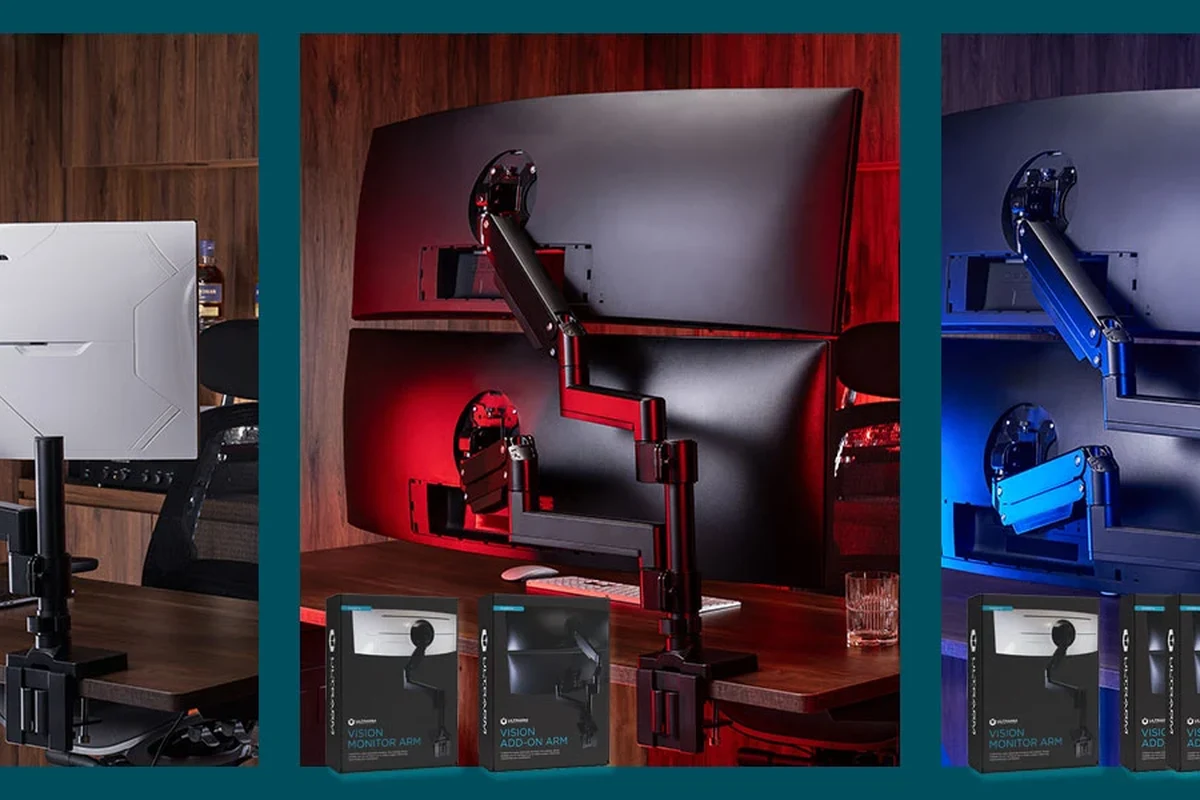
Choosing the right monitor arm setup is crucial to avoid potential hazards. Ensure that your desk can handle the weight and leverage of the arm, as improper installation may lead to accidents or damage. Double-check your monitor’s specifications and the arm’s weight limits before proceeding. For related safety context, compare this with how to connect to a google speaker.
- Not checking the weight limit of both the desk and monitor arm.
- Ignoring VESA compatibility, leading to improper mounting.
- Choosing a monitor arm that does not fit your workspace layout.
- Overlooking the importance of desk stability when adding weight.
Safety and Stability: Ensuring Your Setup is Secure
Ensuring that your monitor arm setup is stable and secure is vital for preventing accidents. Regular checks and maintenance can keep your workspace safe. This section outlines how to assess the stability of your setup.
How to Test for Stability After Setup
After installing your monitor arm, test for stability by gently shaking the monitor. If it wobbles excessively, reassess your installation and desk stability. Regular inspections can help catch any potential issues early. You can also use how to connect a smart bulb to alexa as a helpful next guide on the same setup or usability topic.
Use official support or warranty guidance if the issue involves overheating, power, damaged cables, unstable mounting, privacy risk, data loss, or repeated failures.
Practical Examples: Choosing the Right Monitor Arm for Your Needs
Understanding your specific use case can help you choose the right monitor arm. Whether for gaming, work, or creative projects, different scenarios may require different types of monitor arms. This section provides practical examples to guide your decision-making.
Scenarios for Home Office, Gaming, and Creative Work
Different work scenarios demand unique setups for monitor arms. For a home office, you may prioritize ergonomics, while gamers might focus on flexibility and positioning for a competitive edge. Creative professionals often require adjustable arms that accommodate various viewing angles and heights for optimal workflow.
For home offices, consider adjustable arms for better ergonomics. Gamers may prefer fixed arms for stable setup during intense sessions. Creative professionals might need multi-monitor setups, requiring robust arms.
Maintenance Tips for Your Monitor Arm and Desk
Regular maintenance is crucial for ensuring the longevity of both your monitor arm and desk. This section provides essential tips to keep your setup functioning optimally over time.
Regular Checks to Ensure Longevity
Regular inspections of your monitor arm and desk setup are essential for longevity. Check for any loose screws, signs of wear, or desk instability that could jeopardize your equipment. Performing these assessments periodically helps maintain a safe and efficient workspace, preventing accidents before they occur.
- Inspect the monitor arm for loose screws and tighten them as needed.
- Clean the desk and arm regularly to avoid dust buildup.
- Check the weight distribution periodically to ensure balance.
This guide on can my desk support a monitor arm is written for general digital-information education. For specifications, compatibility, prices, availability, firmware/software versions, warranty terms, recalls, privacy settings, or safety limits, confirm details with the official manual, manufacturer page, retailer listing, warranty document, or current support notice before acting.
Alternatives to Monitor Arms: What to Consider
If a monitor arm isn’t suitable for your setup, there are alternatives to consider. Understanding these options can help you find the best solution for your workspace. This section explores various alternatives and their benefits.
Monitor Stands and Fixed Mounts
Monitor stands offer a stable alternative to arms, especially for desks without adequate support. Fixed mounts can be suitable if you’re looking for a more permanent solution. Each option has its benefits, and weighing them against your needs is essential.
Understanding Monitor Arm Compatibility with Your Desk
can my desk support a monitor arm should be handled by checking compatibility first, then changing one setting, cable, driver, app permission, or connection step at a time. Avoid risky shortcuts and use official support when power, heat, privacy, warranty, or repeated failure is involved.
Confirm the exact device model, operating system, and connection type. Try the safest reversible steps before resets, replacements, or advanced changes. Use official manuals, firmware notes, and warranty support when the issue repeats.
Final Words
The main takeaway for can my desk support a monitor arm is to match the advice to the exact device, connection method, and daily use case. Use safe setup steps, verify model-specific details, and contact official support when power, heat, privacy, stability, or warranty concerns remain.
💡 Sufiya Begom's Setup Advice: Check VESA support, screen weight, desk thickness, eye level, cable clearance, and stability before buying or mounting any monitor accessory.
Frequently Asked Questions
Questions about Monitor Arm often depend on the exact model, connection method, software support, and daily use case. Similar products can behave differently even when they look alike or share a category name. Check current manufacturer documentation whenever compatibility, safety, privacy, firmware, or warranty details affect the answer.
Start with intended use, fit, verified specifications, safety instructions, care needs, and important limitations.
Start with the exact Monitor Arm model, connection method, compatibility requirements, and the specific result you need. Current manufacturer documentation is the safest place to confirm details that vary by model.
Check the operating system, ports or wireless standard, power requirements, app or driver support, and any ecosystem limitations that apply to the exact setup.
A common mistake is treating every Monitor Arm product or setup as interchangeable. Similar-looking models can differ in ports, software support, power needs, dimensions, or privacy controls.
Use the cleaning, ventilation, inspection, charging, storage, and update guidance that applies to the product type. Disconnect power first whenever the manufacturer instructions require it.
Stop and seek official support when the problem involves overheating, damaged power hardware, unstable mounting, repeated failures, data loss, or a privacy concern you cannot resolve safely.

Sufiya Begom is a Passionate Digital Innovator and the Visionary Founder of the Dynamic Platform, Digital Pro Info. With a deep-rooted enthusiasm for digital technologies, Sufiya has built a comprehensive space that offers valuable insights into digital products, reviews, guides, software, and sales, empowering individuals to make informed decisions in the ever-evolving digital landscape.