
No, monitor arm does not damage desk if properly installed and used. Ensure the weight limit is adhered to and monitor arm is securely fastened to prevent any potential damage.
Last updated: November 24, 2026
Yes, a monitor arm can potentially damage a desk if not installed or used correctly. The risks primarily stem from the weight and mounting method of the monitor arm, which can lead to scratches, indentations, or even structural damage to certain desk types.
Understanding these risks and how to mitigate them is essential for maintaining your desk’s integrity.
- Start with the setup: Device model, OS, ports, power needs, and workspace change the right answer.
- Check compatibility first: Verify specifications, drivers, firmware, app support, warranty, and return policy before acting.
- Use practical steps: Change one setting or product variable at a time so you can see what.
- Know the limits: Tech advice varies by model, brand, operating system, retailer, firmware version, and official support.
Does a Monitor Arm Damage Your Desk? Understanding the Risks
Understanding whether a monitor arm can damage your desk involves examining its mounting method and weight distribution. Ensure that your desk material can support the weight of the monitor and arm, and always follow the manufacturer’s guidelines for installation to minimize risks. For related safety context, compare this with does myq work with google home setup and troubleshooting.
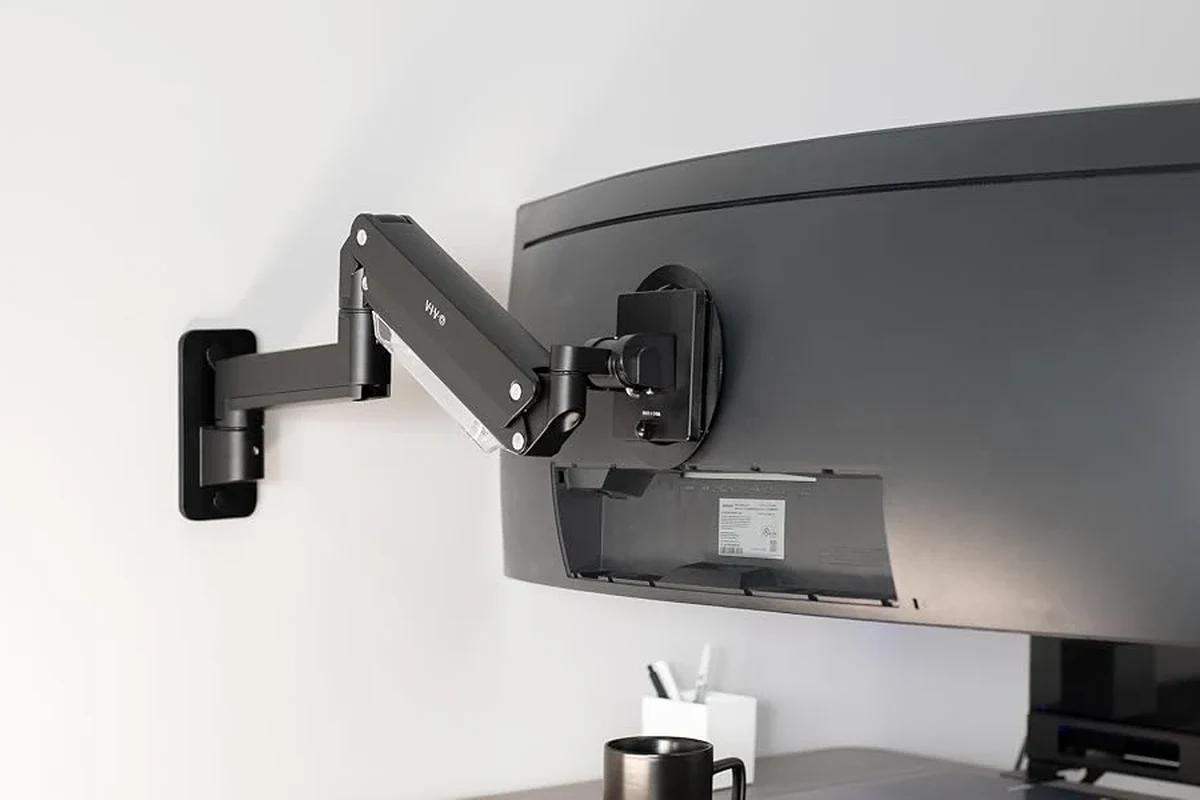
Common Misconceptions About Monitor Arms and Desk Safety
Common misconceptions about monitor arms often stem from a lack of knowledge regarding desk compatibility. It’s crucial to consider your desk’s material and design, as well as the monitor arm’s weight capacity, to prevent any potential damage during use. This also connects with cubo vs nanit baby monitor safety if you want to avoid a similar setup or buying mistake.
- Always use a level to ensure the monitor is straight.
- Check for any wobbling after installation.
- Adjust the arm to the correct height to minimize strain on the desk.
Factors That Influence Desk Damage from Monitor Arms
Several factors can influence the likelihood of desk damage when using a monitor arm. These include the weight of the monitor, the material of the desk, and how the monitor arm is installed. Understanding these factors can help users make informed choices about their setups. You can also use why does my roomba keep stopping troubleshooting tips as a helpful next guide on the same tech-accessories topic.
| Factor | Impact on Damage | Considerations |
|---|---|---|
| Weight of Monitor | Heavier monitors can cause more stress on the desk. | Check the weight limit on your monitor arm. |
| Desk Material | Soft materials are more prone to damage. | Use protective pads for softer desks. |
| Installation Method | Poor installation can lead to instability and damage. | Follow manufacturer instructions carefully. |
How to Properly Install a Monitor Arm Without Causing Damage
Proper installation of a monitor arm is crucial to prevent any potential damage to your desk. Ensuring that you follow the manufacturer’s guidelines and using the right tools can make a significant difference. Here are a few steps to help with the safe installation of a monitor arm: You can also use how does a smart lock work setup features and daily use as a helpful next guide on the same setup or usability topic.
- Choose the Right Location
Select a stable area on your desk that can support the monitor arm’s weight.
- Use Protective Pads
Place protective pads under the mount to distribute the weight evenly.
- Secure the Arm Properly
Follow the installation instructions to ensure it is attached correctly.
Those working from home can benefit from ergonomic setups.
Need flexible monitor positioning for optimal gameplay.
May require adjustable setups for comfort during long study sessions.
Choosing the Right Monitor Arm for Your Desk Type
Not all monitor arms are created equal, and choosing the right one for your desk type is crucial in preventing damage. Different desk materials and designs may require specific monitor arms that distribute weight effectively. Consider the following when selecting a monitor arm: This connects closely with does ring camera work with google home setup tips if you want to compare the topic in more detail.
- Weight Capacity: Ensure the arm can support the weight of your monitor.
- Mounting Type: Some arms clamp to the desk while others require drilling; choose based on your desk type.
- Adjustment Features: Look for arms that allow for height and tilt adjustments for ergonomic benefits.
Assessing Desk Materials: What Works Best with Monitor Arms?
The material of your desk can significantly impact its ability to withstand the pressures from a monitor arm. Some materials are more resilient than others, and understanding these differences can help you make better choices. Here’s a breakdown of common desk materials:
Wood: Generally sturdy, but soft woods can dent or scratch easily. Particle Board: Can be less durable and more susceptible to damage from heavy items. Metal: Typically the most durable; less likely to suffer from damage. This connects closely with how smart plugs work setup compatibility safety tips if setup or performance is part of the issue.
Use this guide for does monitor arm damage desk as a practical checklist, then adjust the advice to your exact device model, operating system, workspace, and budget.
Protective Measures: Using Desk Pads and Other Accessories
To safeguard your desk from potential damage caused by monitor arms, utilizing protective measures is essential. Desk pads can cushion the area where the monitor arm mounts, helping to prevent scratches and indentations. Here are some options to consider: For related context, you may also want to read how does chamberlain myq work.
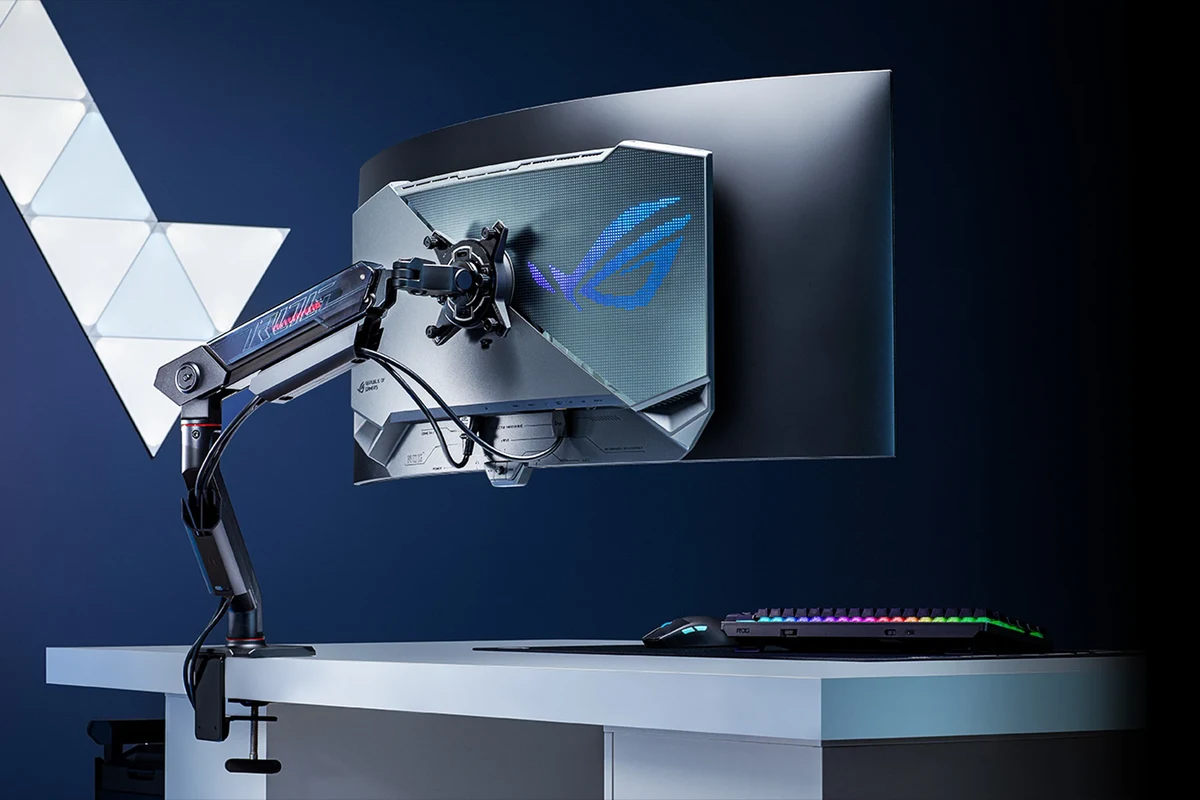
- Desk Pads: These can absorb weight and protect the surface.
- Mounting Plates: Distribute weight more evenly across the desk.
- Felt or Rubber Underlays: Provide additional cushioning and protection.
Be cautious if your desk shows signs of wear or instability. It’s essential to address these issues promptly to prevent further damage or accidents.
Signs Your Desk May Be at Risk of Damage from a Monitor Arm
It’s important to keep an eye out for any signs of potential damage to your desk when using a monitor arm. Early detection of issues can help you take action before significant damage occurs. Look for the following signs:
Checking for Surface Indentations and Scratches
Indentations and scratches are clear indicators that your desk may be at risk. Regularly inspect the area where the monitor arm is mounted for any signs of wear. If you notice any damage, consider adjusting the setup or adding protective measures to prevent further issues.
Evaluating Structural Integrity of Your Desk
Evaluating the structural integrity of your desk is essential to prevent long-term damage from a monitor arm. Check for any signs of instability, such as wobbling or creaking sounds, and consider reinforcing your desk if you notice these issues after installing a monitor arm. This connects closely with does myq work without subscription if you want to compare the topic in more detail.
Alternatives to Monitor Arms: Desk Stands and Other Solutions
If you’re concerned about the potential damage from monitor arms, there are alternatives like desk stands that can provide a stable solution without mounting issues. Desk stands can be moved around easily and do not exert pressure on the desk in the same way. Consider these alternatives:
Desk Stands: These sit directly on the desk and can be moved as needed. Monitor Risers: Elevate your monitor without mounting risks. Adjustable Stands: Allow for ergonomic adjustments without installation complications.
This guide on does monitor arm damage desk is written for general digital-information education. For specifications, compatibility, prices, availability, firmware/software versions, warranty terms, recalls, privacy settings, or safety limits, confirm details with the official manual, manufacturer page, retailer listing, warranty document, or current support notice before acting.
Maintenance Tips for Monitor Arms and Desk Safety
Regular maintenance of both your monitor arm and desk can help prevent damage and prolong their lifespan. Keeping everything clean and properly adjusted ensures optimal performance and safety. Here are some maintenance tips:
- Regularly inspect the monitor arm for wear or rust.
- Tighten any loose screws to maintain stability.
- Clean the desk surface and monitor arm to prevent dust buildup.
Final Words on Monitor Arms and Desk Protection
Understanding the risks associated with monitor arms is crucial for ensuring that your desk remains damage-free. By choosing the right arm, installing it properly, and taking protective measures, you can enjoy a functional and safe workspace. Always stay vigilant for signs of damage and maintain your equipment regularly.
Understanding How Monitor Arms Affect Your Desk
does monitor arm damage desk depends on your device model, operating system, ports, workspace, budget, and daily use case. Use this article as a practical guide, then verify model-specific specs before buying, fixing, or changing your setup.
Start with compatibility and safety before convenience. Change one variable at a time when troubleshooting. Check official documentation when specifications or support status matter.
Final Words
does monitor arm damage desk depends on the exact device, connection method, workspace, budget, and daily use case. Use the checks above, verify model-specific details before acting, and seek qualified support when power, heat, privacy, stability, or warranty concerns remain.
💡 Sufiya Begom's Setup Advice: Check VESA support, screen weight, desk thickness, eye level, cable clearance, and stability before buying or mounting any monitor accessory.
Frequently Asked Questions
Questions about Monitor Arm often depend on the exact model, connection method, software support, and daily use case. Similar products can behave differently even when they look alike or share a category name. Check current manufacturer documentation whenever compatibility, safety, privacy, firmware, or warranty details affect the answer.
Start with intended use, fit, verified specifications, safety instructions, care needs, and important limitations.
Start with the exact Monitor Arm model, connection method, compatibility requirements, and the specific result you need. Current manufacturer documentation is the safest place to confirm details that vary by model.
Check the operating system, ports or wireless standard, power requirements, app or driver support, and any ecosystem limitations that apply to the exact setup.
A common mistake is treating every Monitor Arm product or setup as interchangeable. Similar-looking models can differ in ports, software support, power needs, dimensions, or privacy controls.
Use the cleaning, ventilation, inspection, charging, storage, and update guidance that applies to the product type. Disconnect power first whenever the manufacturer instructions require it.
Stop and seek official support when the problem involves overheating, damaged power hardware, unstable mounting, repeated failures, data loss, or a privacy concern you cannot resolve safely.

Sufiya Begom is a Passionate Digital Innovator and the Visionary Founder of the Dynamic Platform, Digital Pro Info. With a deep-rooted enthusiasm for digital technologies, Sufiya has built a comprehensive space that offers valuable insights into digital products, reviews, guides, software, and sales, empowering individuals to make informed decisions in the ever-evolving digital landscape.